The all-in-one back office for insurance agents
Every tool an agent needs. Right in your pocket.
CRM, quoting, carriers, contracting, licensing and commissions for Medicare, health, life, annuity, P&C and securities. One login on your desktop, tablet and phone.
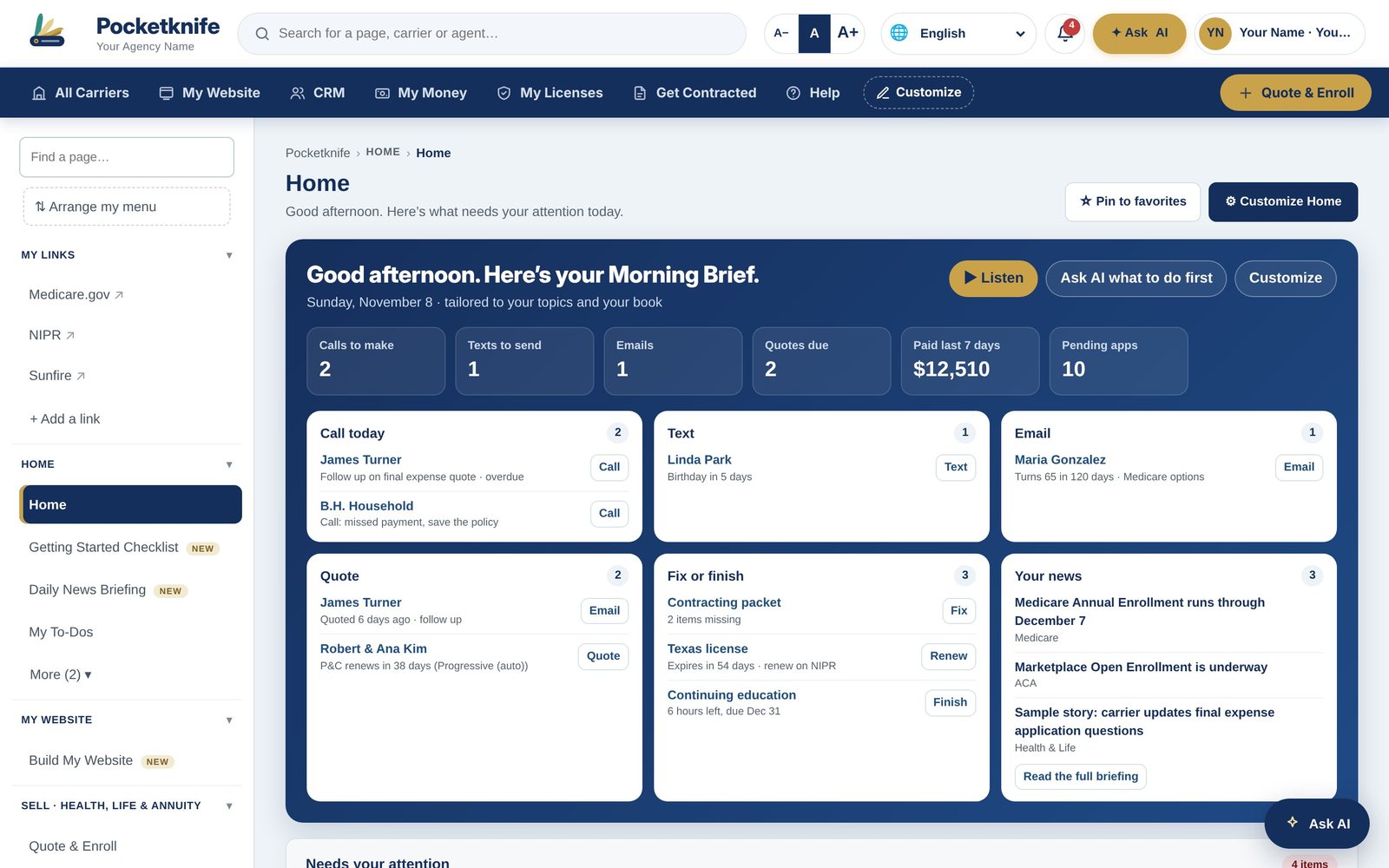
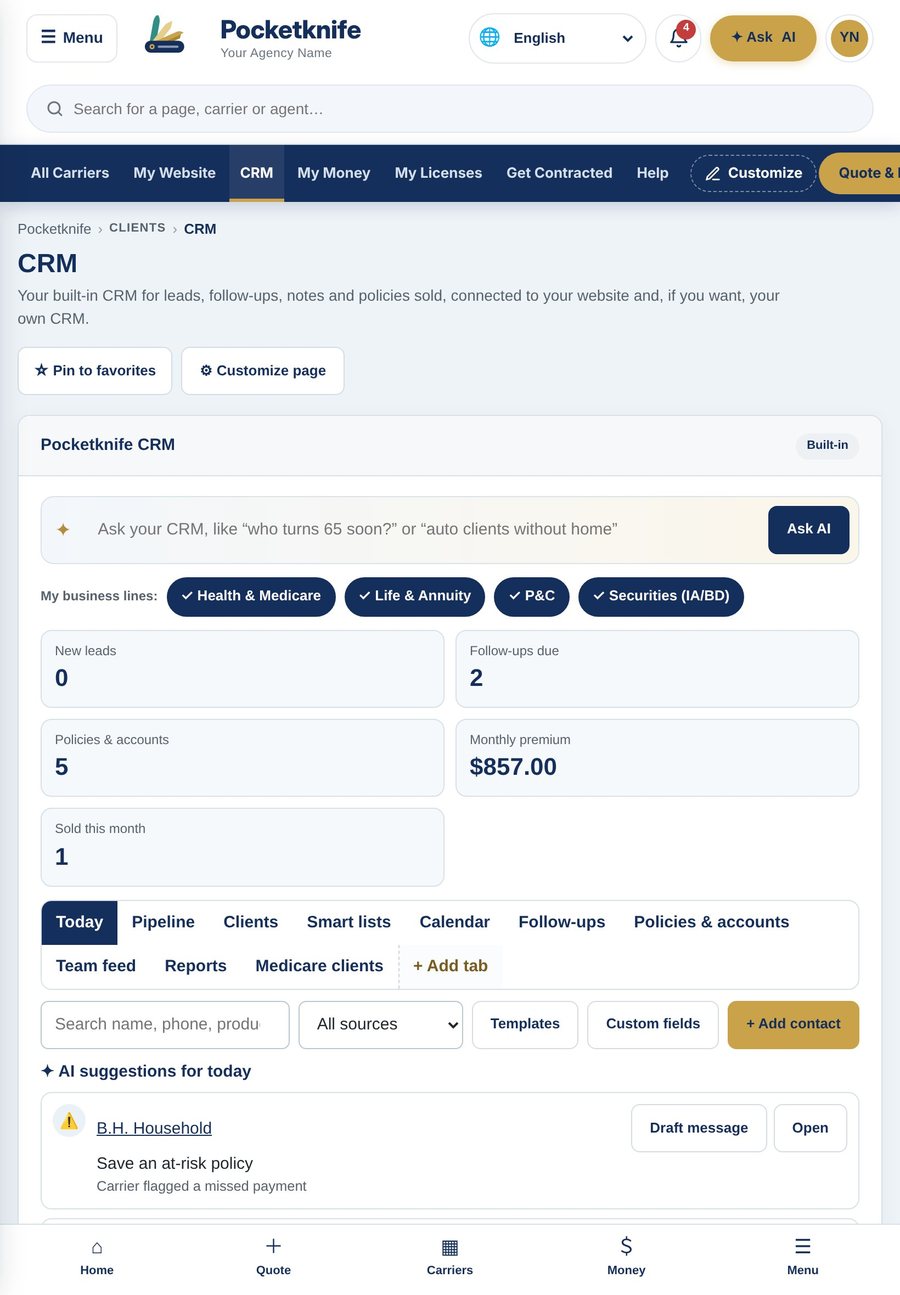
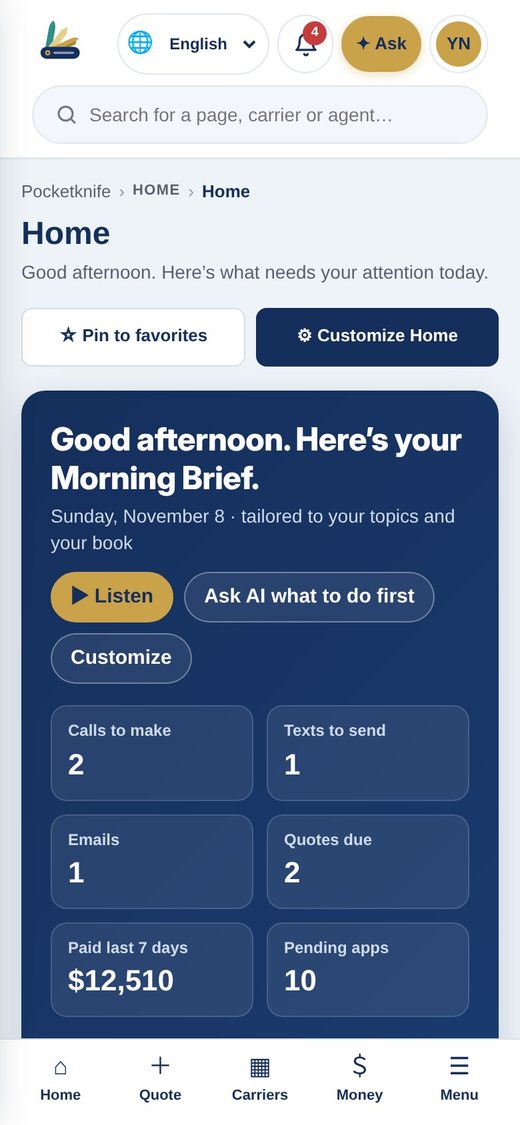
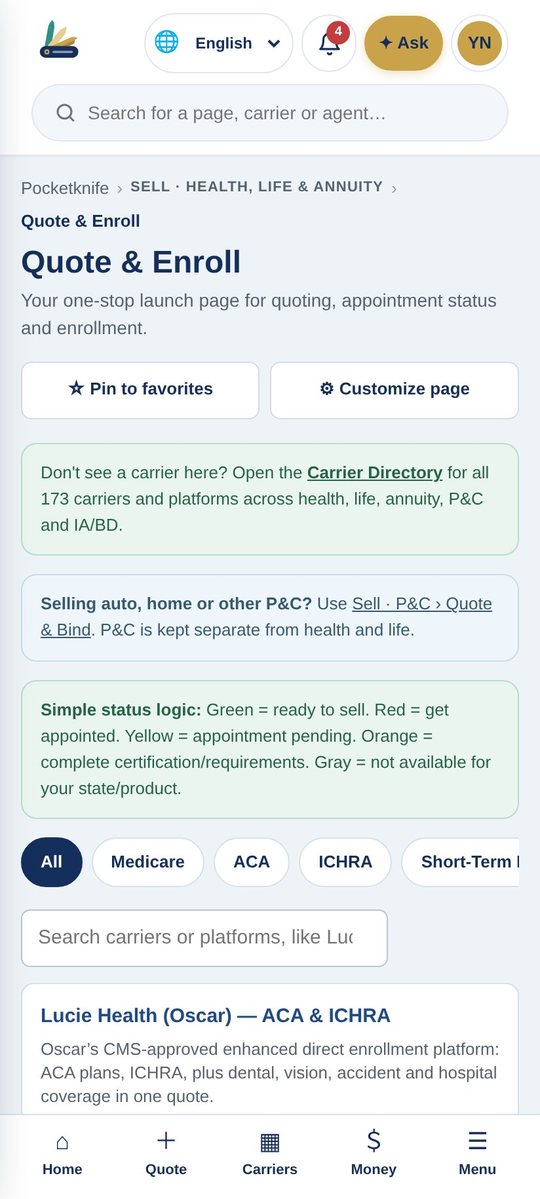
Works on Mac, Windows, iPad, iPhone and Android
The Pocketknife Overview
See the whole system in four short videos.
Watch an agent run a real day in Pocketknife, from the first lead to the weekly paycheck.
The big picture
Six systems most agents pay for separately, working together in one login. See your whole day on the Home screen and make every page your own.
- Agent, client and carrier logins
- Your day on one screen
- Customize any page, reset in one tap
Video 1 of 4The big picture1:26
Find and win clients
Our own CRM tells you who to call each morning. Every lead vendor feeds one pipeline, and your website on your own domain sends quote requests straight in.
- Drag-and-drop pipeline with AI
- Every lead vendor in one place
- Your website, your domain
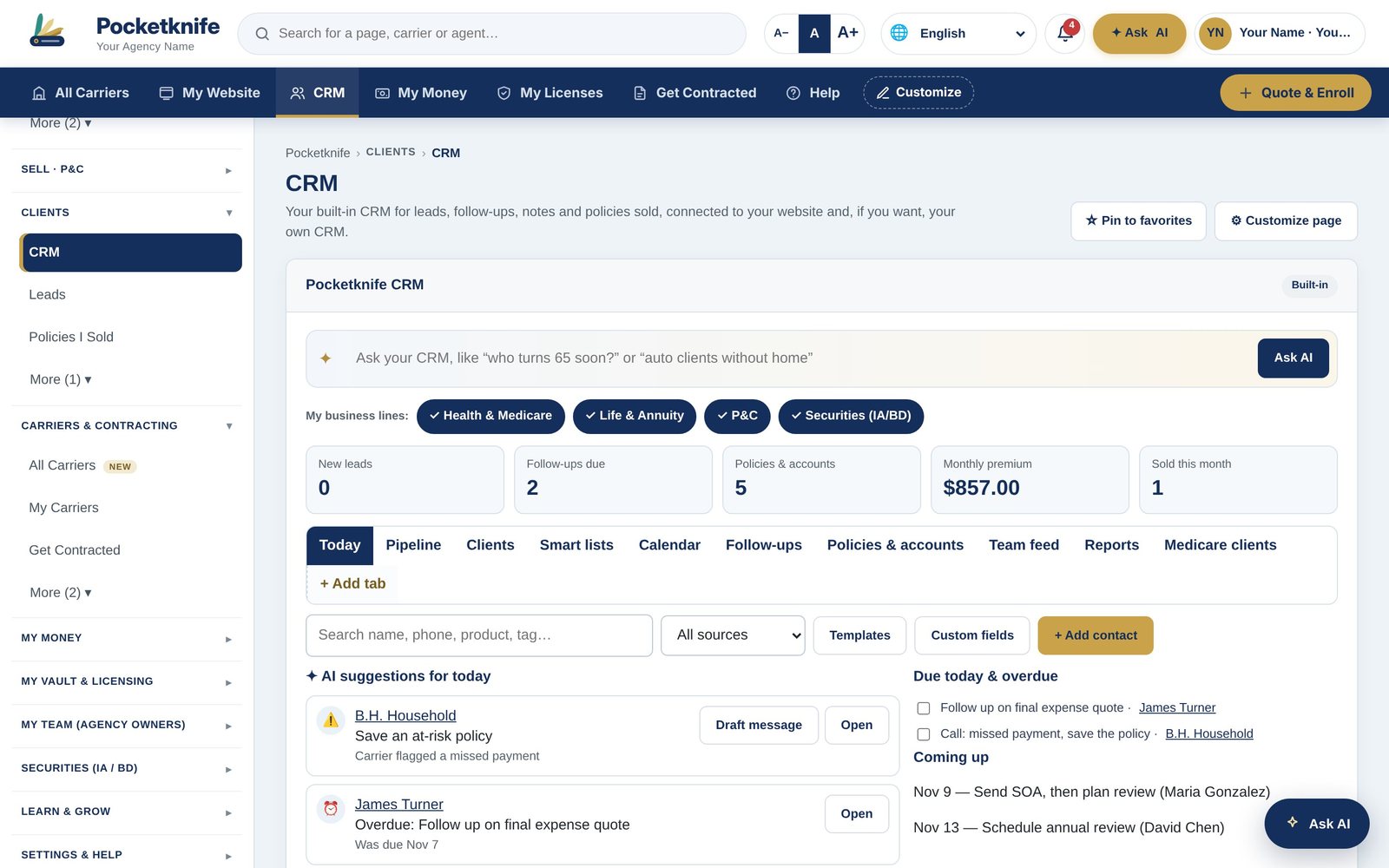 Video 2 of 4Find and win clients1:21
Sell every line
Know in one glance whether you can sell a product today. Medicare compliance is built in, and health, life, annuities, P&C and securities each have a full desk.
- Green means ready to sell
- Contract through any upline
- 211 carriers built in
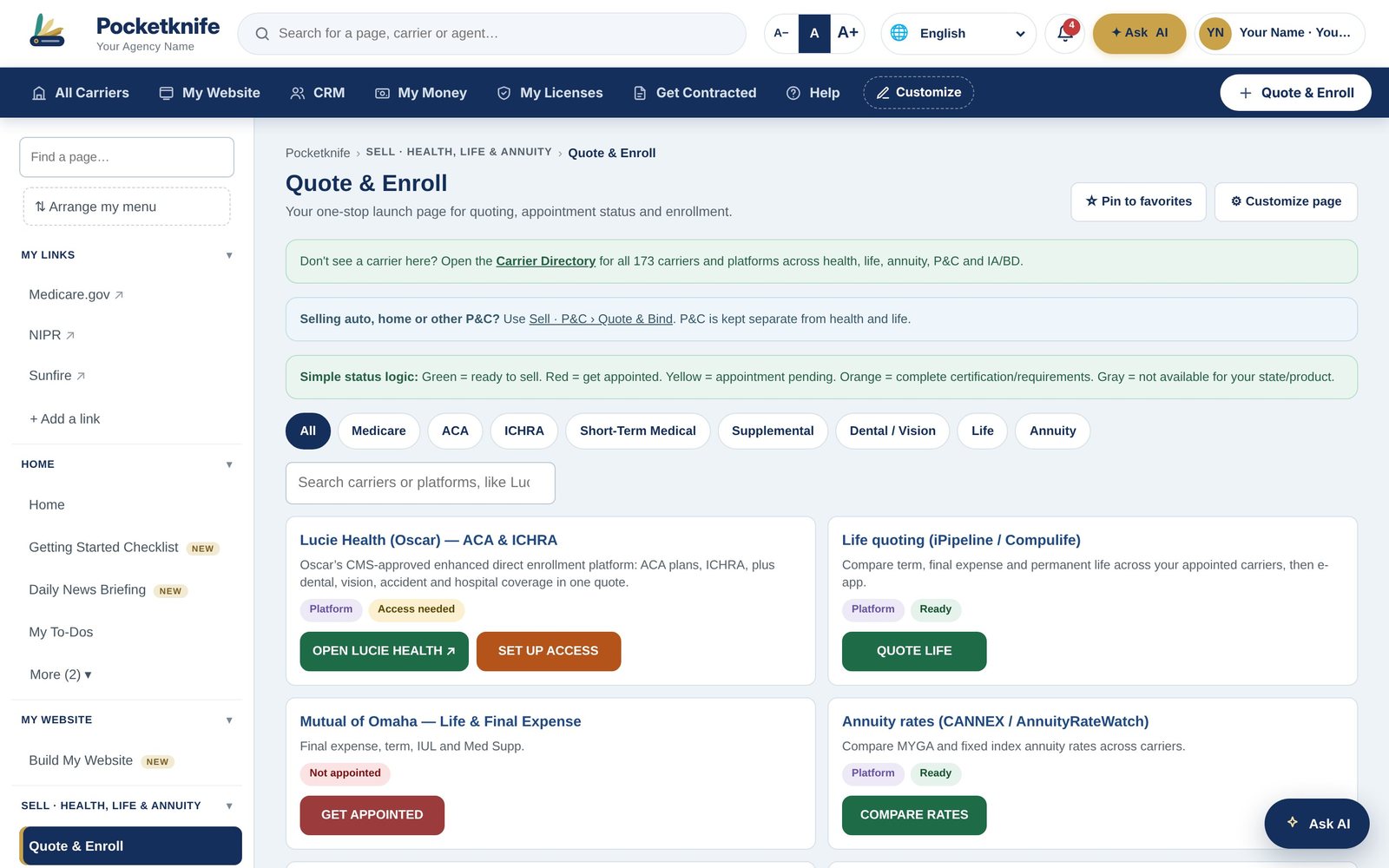 Video 3 of 4Sell every line1:20
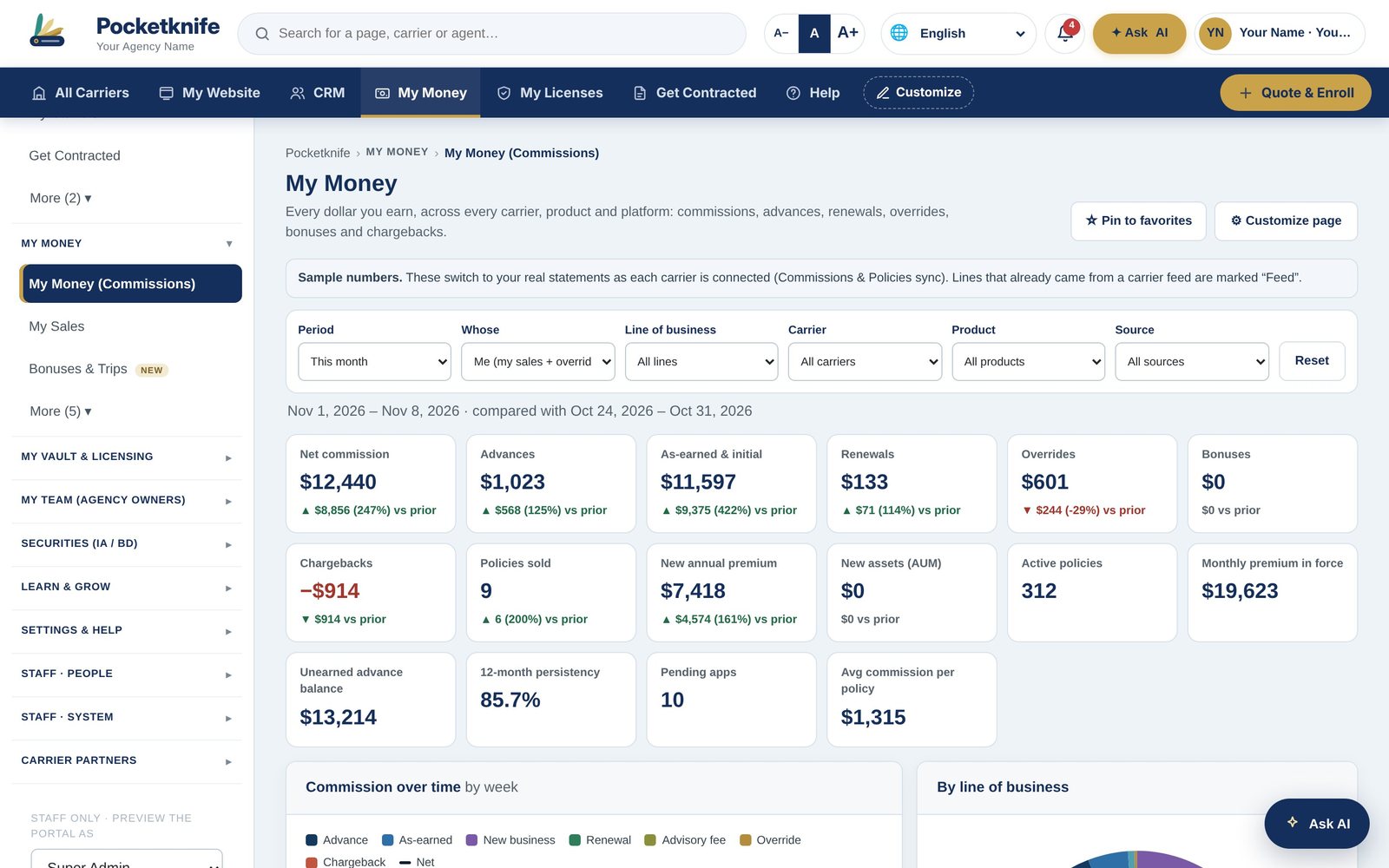 Video 4 of 4Get paid and grow1:13
Get paid and grow
See every commission from every carrier, every week, and catch missing pay before it slips away. Agency owners get compliance, recruiting and overrides in the same place.
- Weekly pay across every carrier
- Missing pay flagged for you
- Run your whole agency
Everything your business runs on, organized the way you work.
Browse the video libraryMedicare, ACA, life and annuities with compliance built in.
Explore → P&CQuote and bind, X-dates, renewals and service.
Explore → SecuritiesRegistrations, firms, AUM, CE and supervision.
Explore → CommissionsEvery carrier, every week, with missing pay caught.
Explore → Contracting211 carriers, any upline, ready-to-sell checks.
Explore → Built-in CRMAI picks who to call. Every lead in one pipeline.
Explore → Agent WebsitesYour own site on your own domain, built in minutes.
Explore → LibraryEvery video and training, organized by topic.
Explore →iPhone and Android
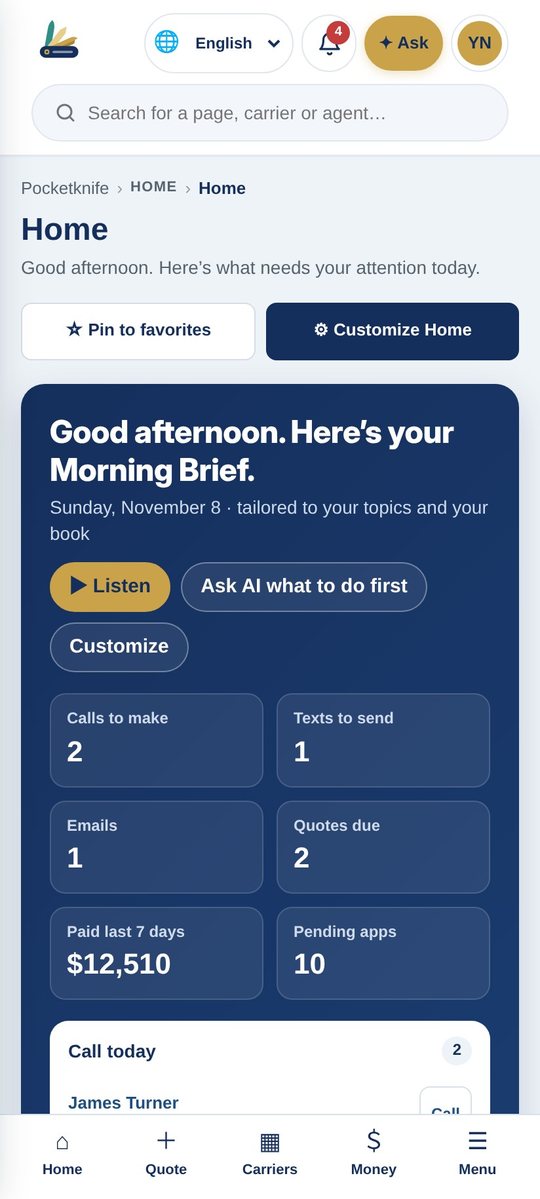
Your whole office, on the phone you already carry.
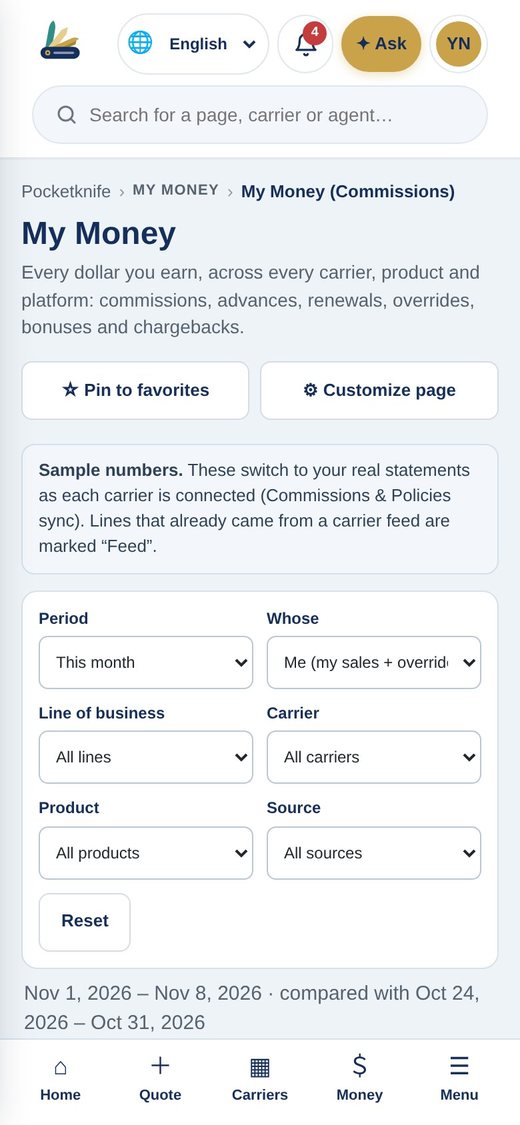
Quote at the kitchen table, check this week's pay between appointments and answer a client from the parking lot. Pocketknife runs the same on iPhone and Android, with everything you see on your desktop.
- Home, Quote, Carriers and Money one tap away
- Alerts that never show client health details
- Everything syncs with your desktop and tablet
Run your whole business from one place.
We set up your carriers, licenses and website for you, and walk you through it.
Home › Library
Library
Videos and training
Watch Pocketknife in action, from the four-part overview to step-by-step training for every part of the system. New training is added here regularly.
Video 1 of 4The big picture1:26Video 1 of 4 · The big pictureThe big picture: logins, Home, the menu and customizing.Video 2 of 4Find and win clients1:21Video 2 of 4 · Find and win clientsThe CRM, AI, lead vendors and your own website.Video 3 of 4Sell every line1:20Video 3 of 4 · Sell every lineReady to sell, every line of business and contracting.Video 4 of 4Get paid and grow1:13Video 4 of 4 · Get paid and growMy Money, missing pay, licensing, agencies and Ask AI. Training · Getting StartedPocketknife in 4 minutes3:58Pocketknife in 4 minutesSee how Pocketknife replaces the four or five systems most agents pay for, from the Morning Brief to commissions, contracting and your own website.
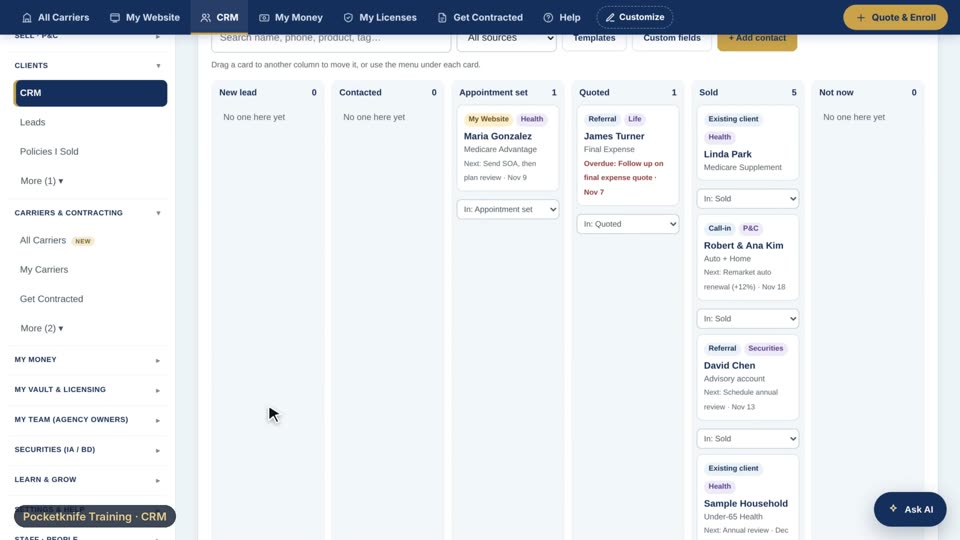 Training · CRMYour CRM pipeline0:54Your CRM pipelineThis is my pipeline. Every client sits in a stage, from new lead, to contacted, to appointment set, quoted, and sold.
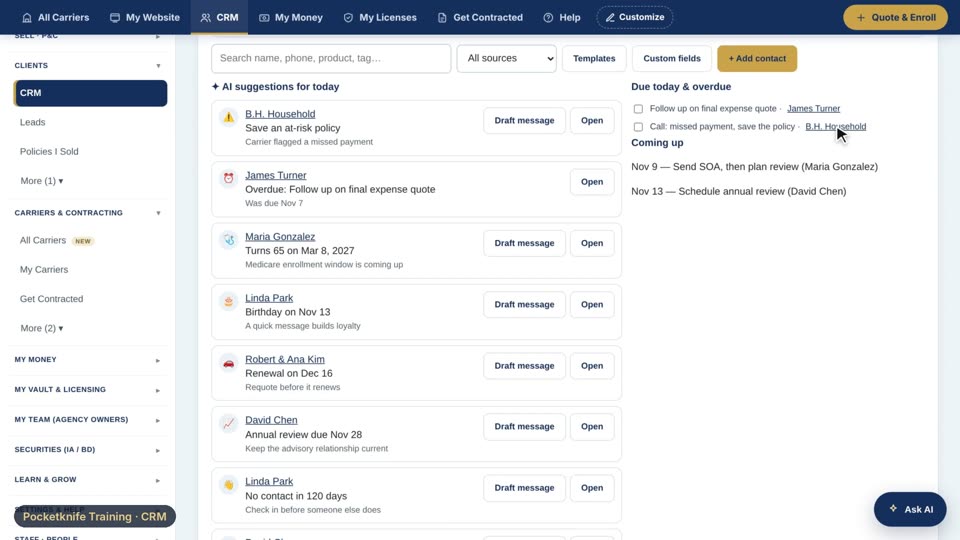 Training · CRMAsk your CRM0:46Ask your CRMEvery morning, the Today tab has already picked who I should call, like birthdays, renewals, and clients turning sixty-five.
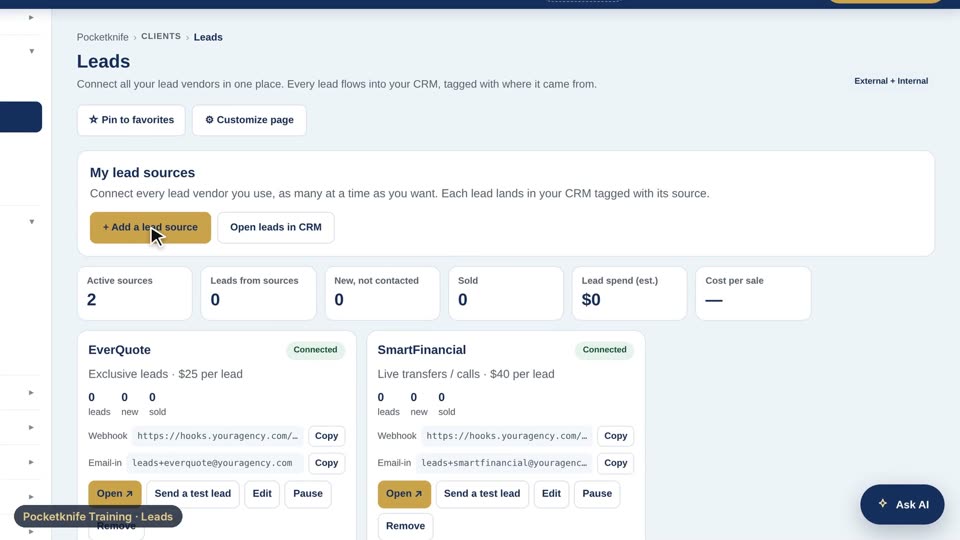 Training · LeadsConnect your lead vendors0:48Connect your lead vendorsOn the Leads page, I can add as many sources as I buy from, all at the same time.
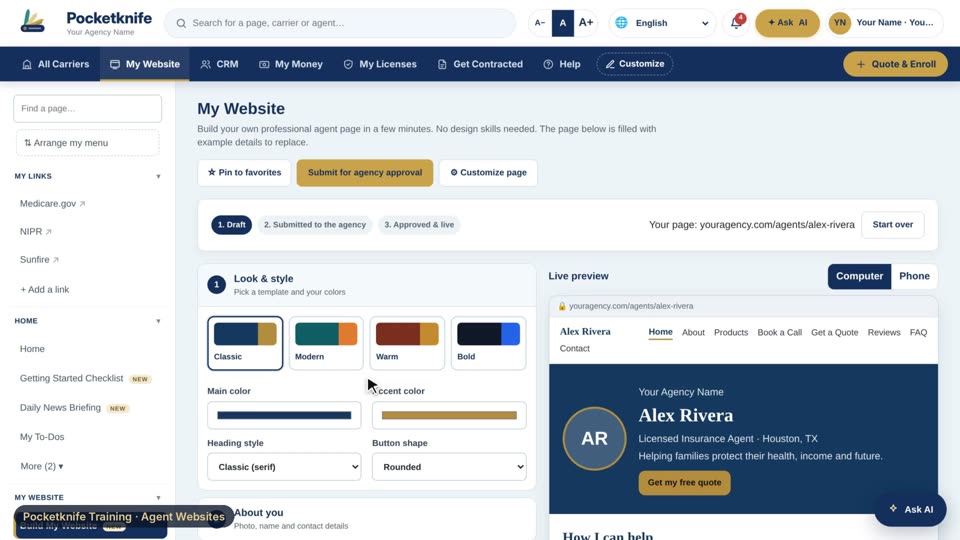 Training · Agent WebsitesBuild your website0:50Build your websiteOn My Website, the steps are on the left and my live site is on the right, so I see every change as I make it.
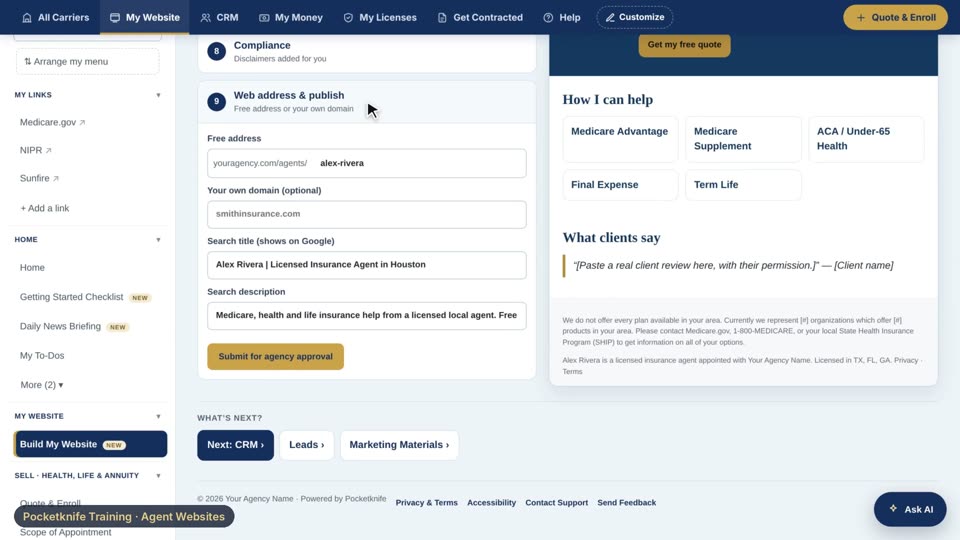 Training · Agent WebsitesConnect your own domain0:43Connect your own domainI'll open the last step on My Website, web address and publish.
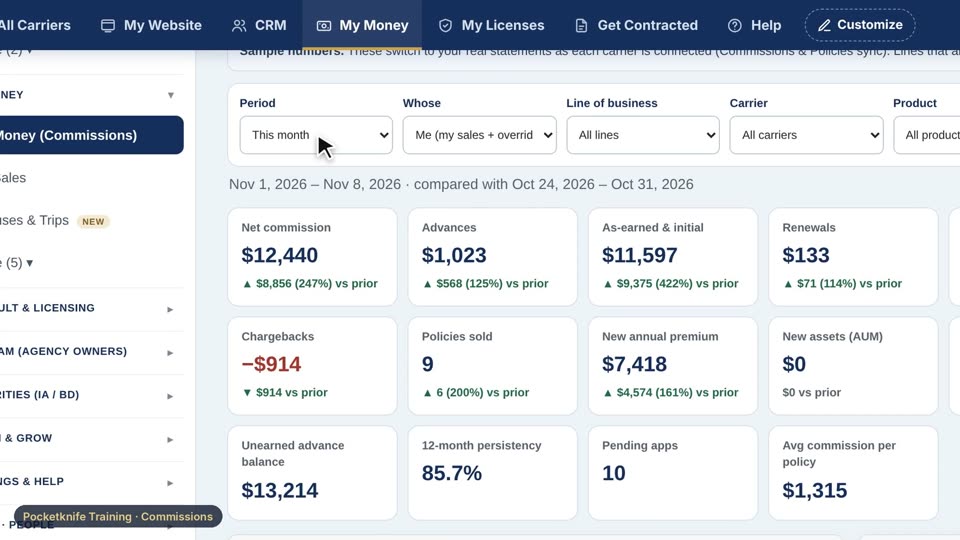 Training · CommissionsRead My Money0:48Read My MoneyUp top, I can pick the period and whose numbers I want to see: just me, my downline, or the whole agency.
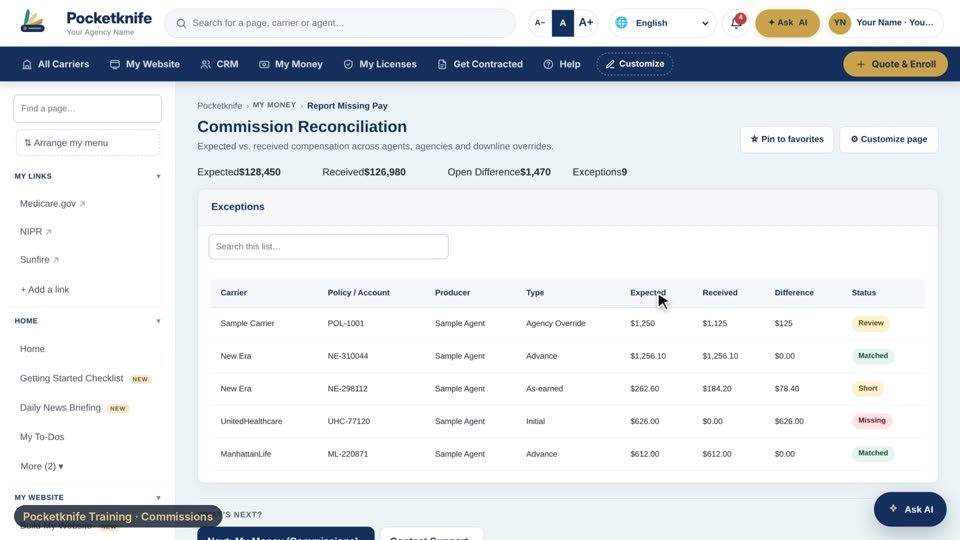 Training · CommissionsReport missing pay0:44Report missing payPocketknife compares every policy I sold with every carrier statement, and anything that should have paid but didn't gets flagged.
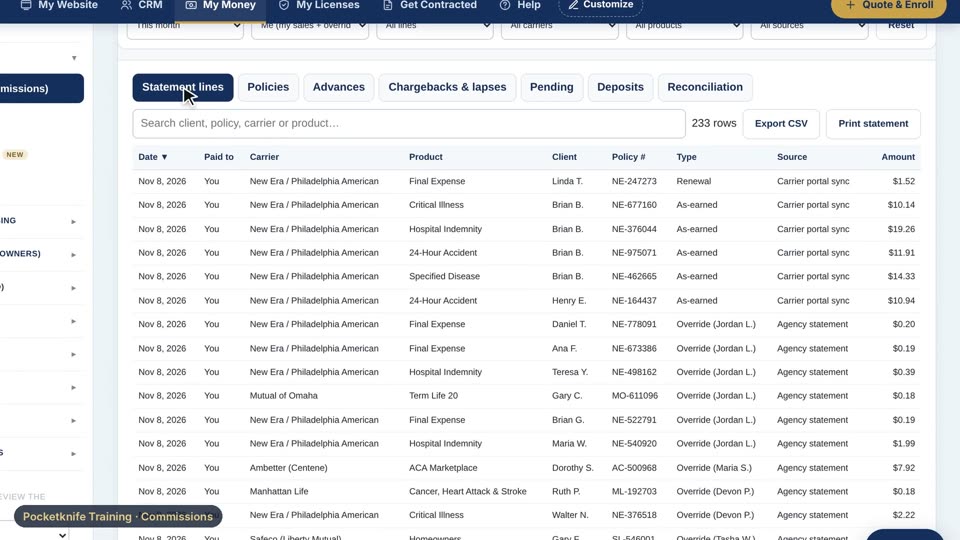 Training · CommissionsAdvances and chargebacks0:43Advances and chargebacksAt the bottom of My Money, the detail tabs show every statement line from every carrier.
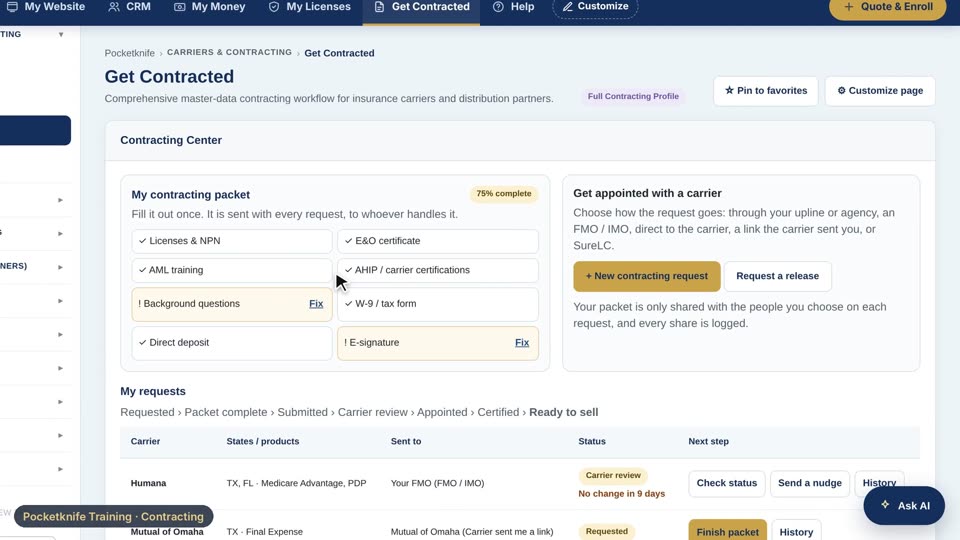 Training · ContractingGet contracted0:45Get contractedIn the Contracting Center, my packet is filled out once: licenses, E and O, background questions, and direct deposit.
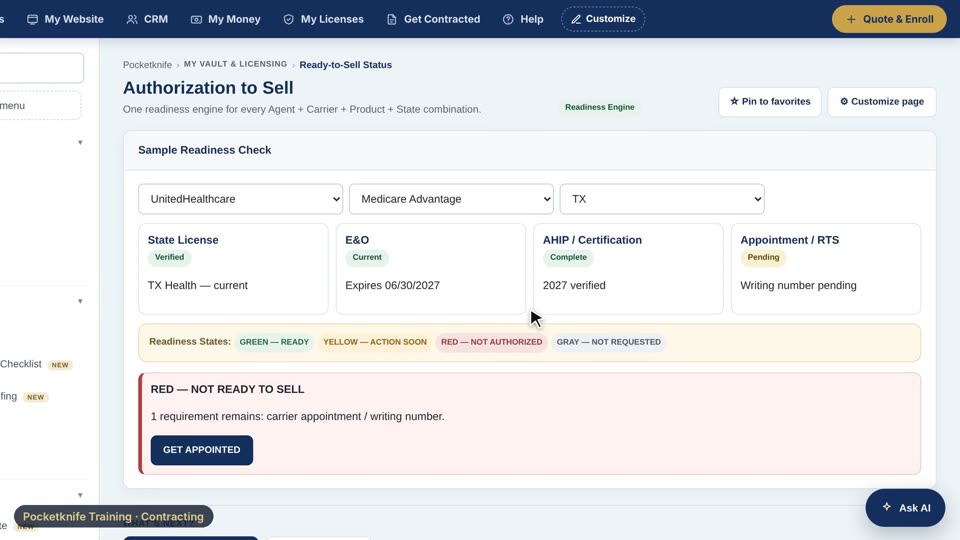 Training · ContractingReady to sell0:41Ready to sellOn Ready to Sell, I pick a carrier, a product, and a state.
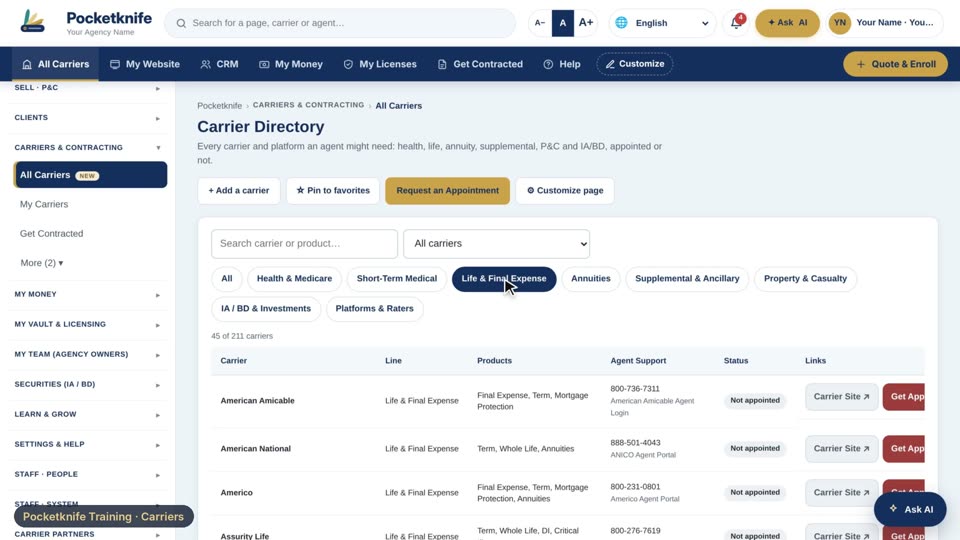 Training · CarriersFind any carrier0:41Find any carrierOn All Carriers, I can filter by line of business, like life and final expense.
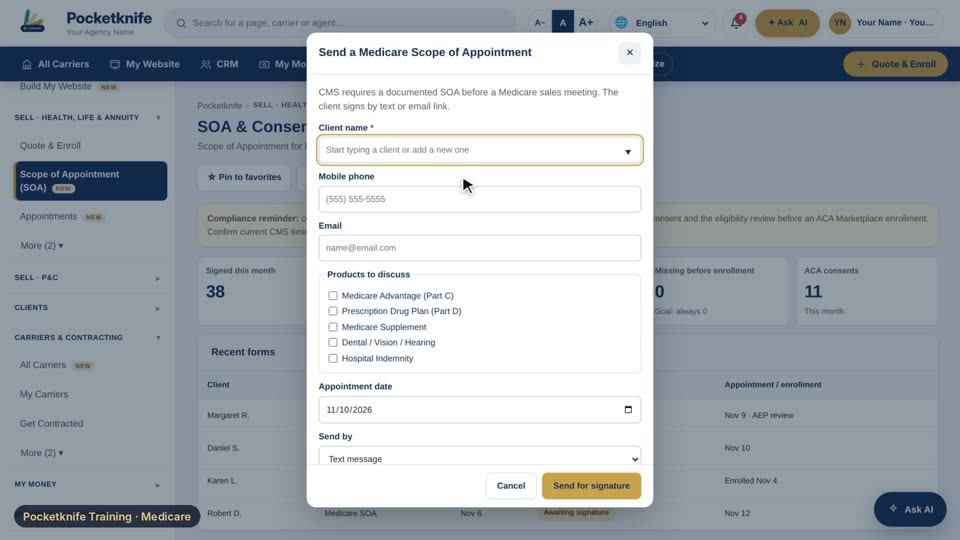 Training · MedicareMedicare SOA and compliance0:42Medicare SOA and complianceBefore a Medicare meeting, I send a scope of appointment from the SOA and Consent Center.
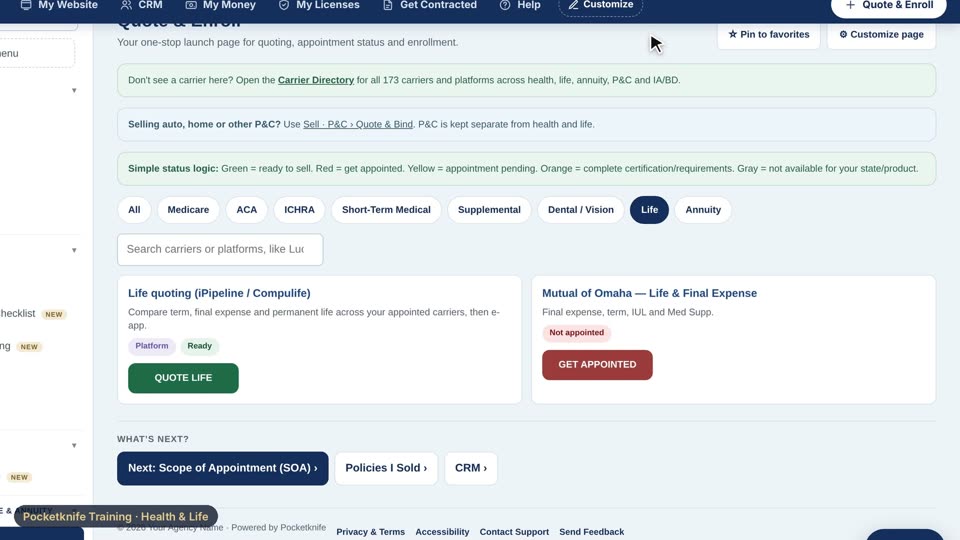 Training · Health & LifeQuote health and life0:48Quote health and lifeQuote and Enroll is my launch page for every product. I can filter by Medicare, ACA, supplemental, life, or annuity.
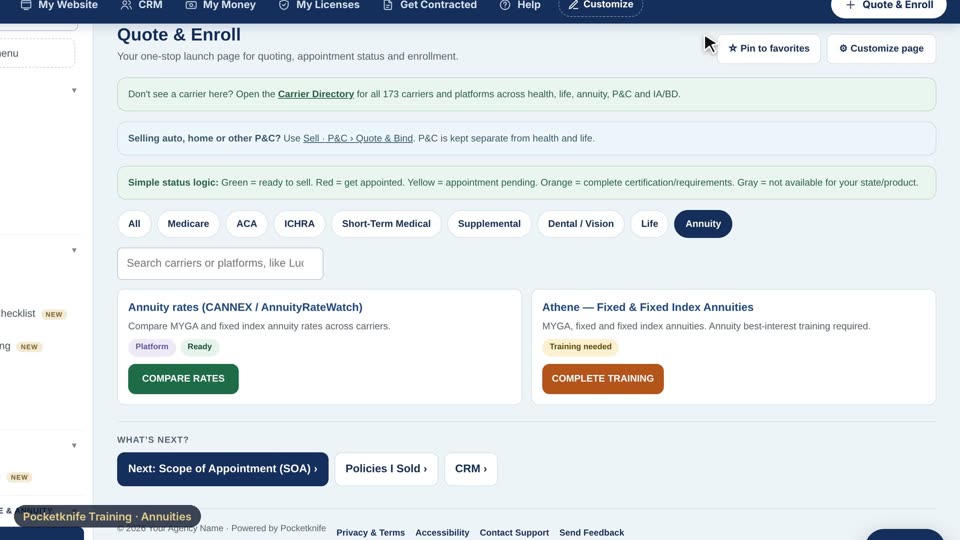 Training · AnnuitiesAnnuity rates and training0:44Annuity rates and trainingOn Quote and Enroll, I filter to annuities, and compare MYGA and fixed index rates across carriers.
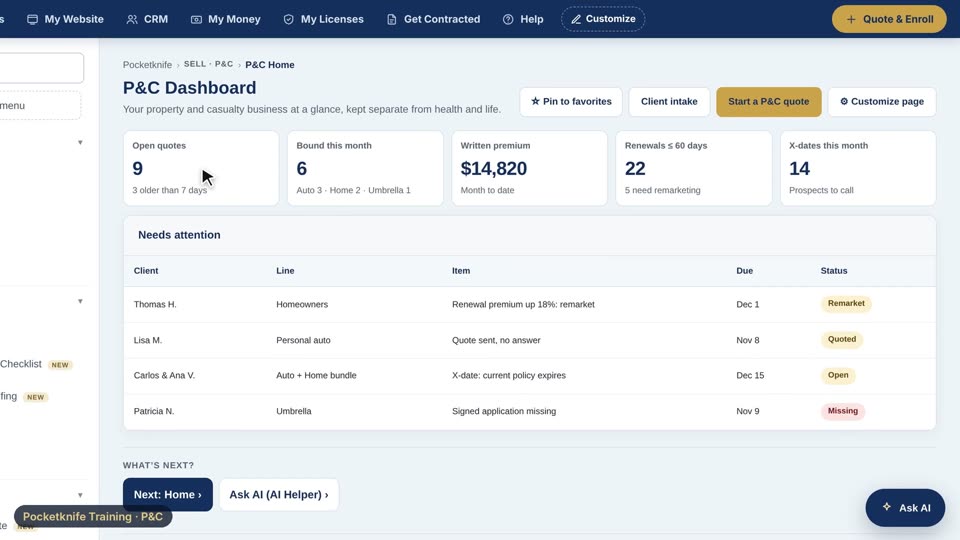 Training · P&CThe P&C desk0:44The P&C deskP and C Home shows quotes in progress, policies bound this month, and renewals coming up.
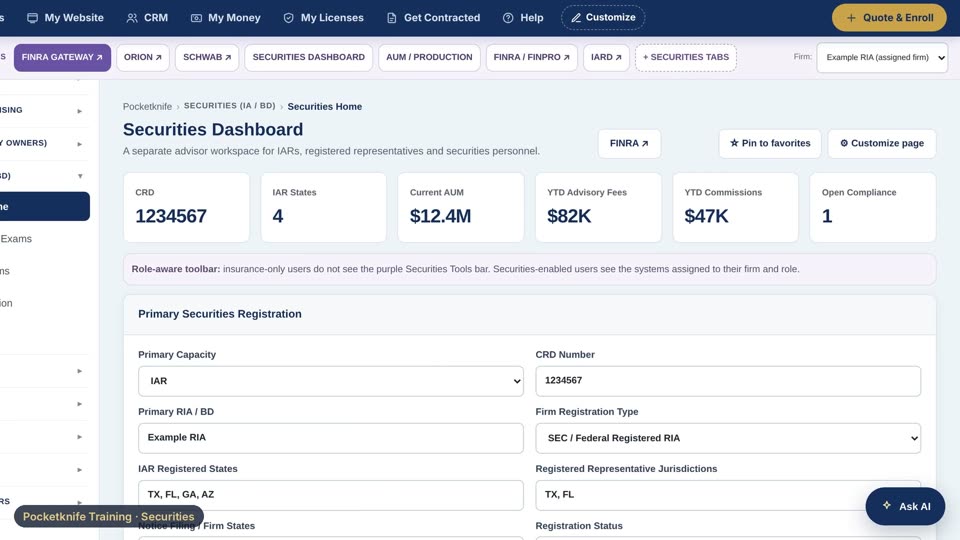 Training · SecuritiesThe securities workspace0:41The securities workspaceSecurities Home shows my CRD, my state registrations, assets under management, and fees, all at a glance.
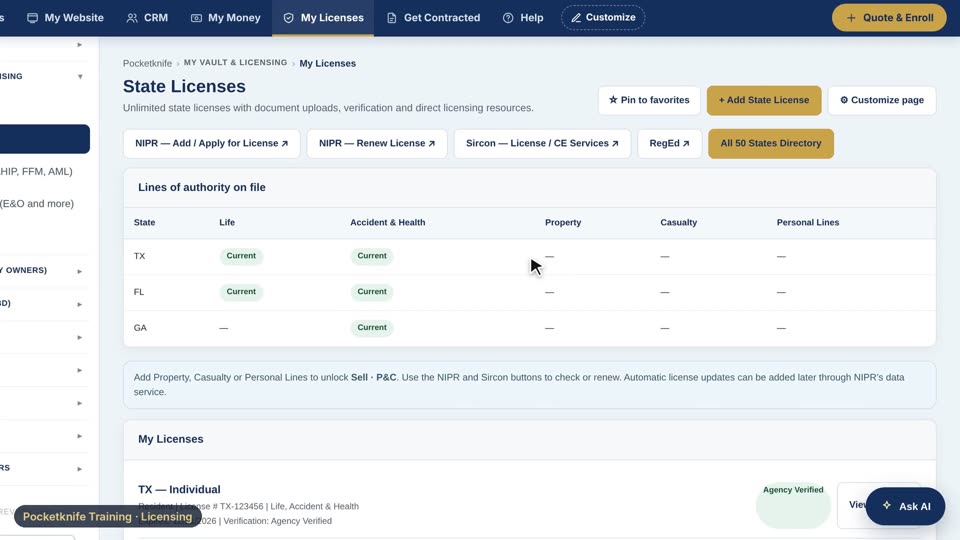 Training · LicensingLicenses, CE and certifications0:40Licenses, CE and certificationsMy Licenses shows every state I'm licensed in, my lines of authority, and when each one expires.
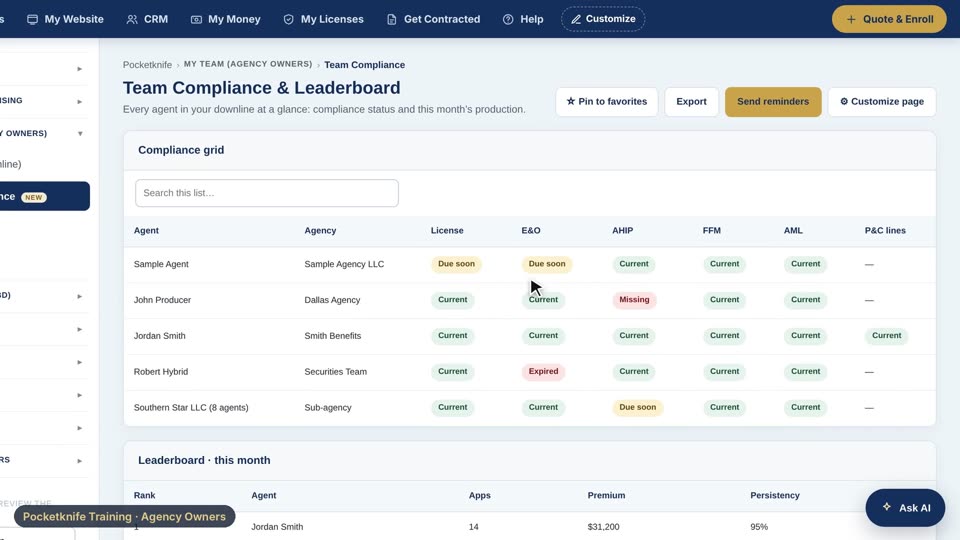 Training · Agency OwnersRun your agency0:43Run your agencyTeam Compliance shows every agent, and flags anything expired or missing, like an E and O or AHIP.
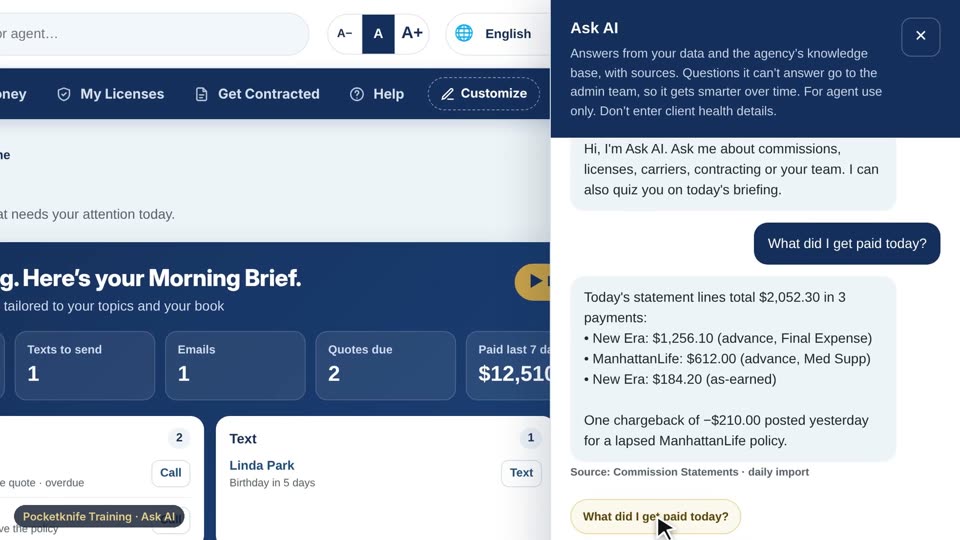 Training · Ask AIAsk AI and the Daily Briefing0:42Ask AI and the Daily BriefingI can open Ask AI from any page and ask about my own business. Let's try, what did I get paid today?
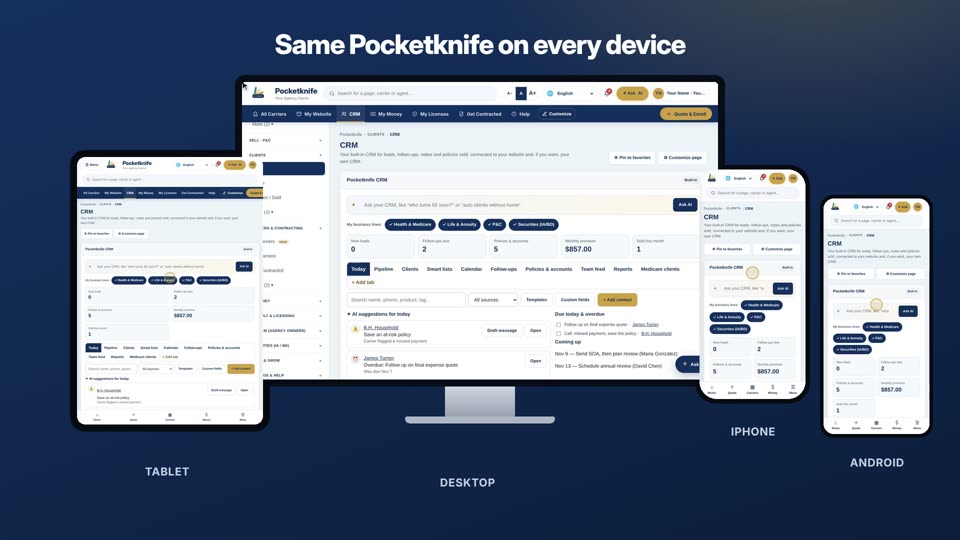 Training · Mobile AppsPocketknife on every device0:42Pocketknife on every deviceHere it is on a desktop, a tablet, an iPhone, and an Android phone, all running the same Pocketknife.
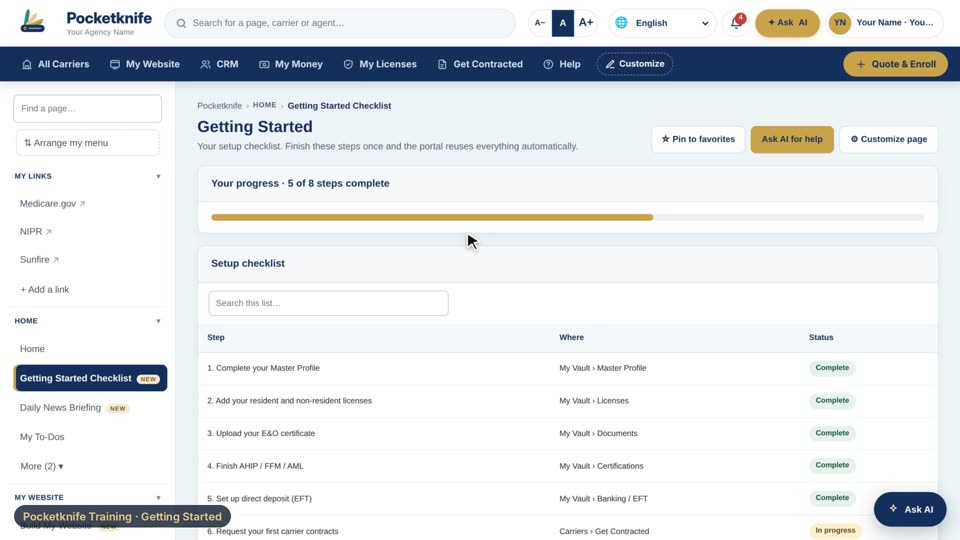 Training · Getting StartedYour first day0:40Your first dayThe Getting Started checklist shows exactly what to finish before you can quote, enroll, and get paid.
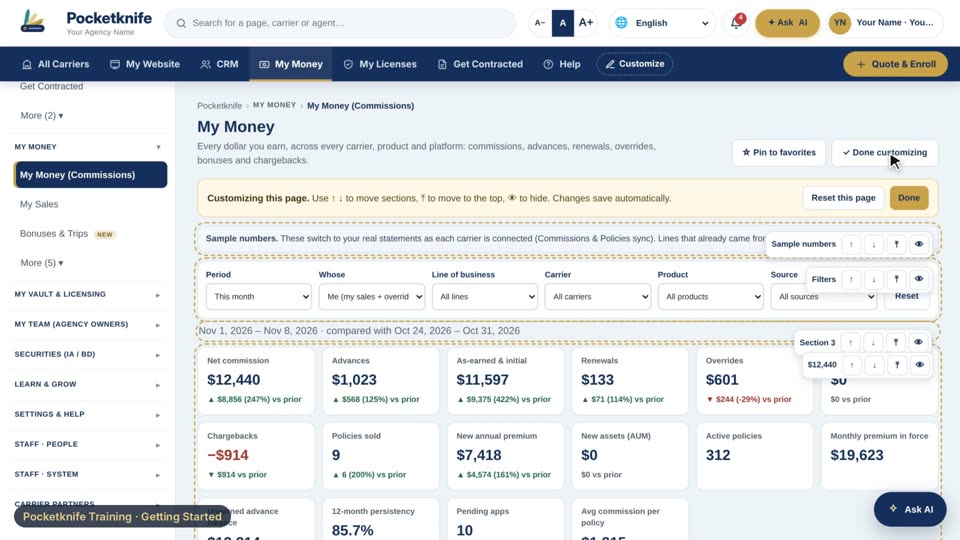 Training · Getting StartedCustomize your office0:40Customize your officeOn any page, I tap customize page, and I can move sections up, down, or right to the top.
 Training · PlatformInvite, connect and share1:05Invite, connect and shareYour invite link, code and QR code, joining with a code, and how you control who sees your information.
 Training · How-toHow to use: Home1:45How to use: HomeA short walkthrough of every page in Home: Home, Getting Started Checklist, Daily News Briefing, My To-Dos, Alerts, Renewals Calendar.
 Training · How-toHow to use: My Website0:25How to use: My WebsiteA short walkthrough of every page in My Website: Build My Website.
 Training · How-toHow to use: Selling Health, Life & Annuity1:37How to use: Selling Health, Life & AnnuityA short walkthrough of every page in Selling Health, Life & Annuity: Quote & Enroll, Scope of Appointment (SOA), Call Recordings, Appointments, Marketing Materials.
 Training · How-toHow to use: Selling P&C2:19How to use: Selling P&CA short walkthrough of every page in Selling P&C: P&C Home, Quote P&C, New P&C Client, Renewal Dates (X-Dates), Policy Changes & Service, P&C Carriers, P&C Commissions.
 Training · How-toHow to use: Clients1:36How to use: ClientsA short walkthrough of every page in Clients: CRM, Leads, Policies I Sold, Referrals.
 Training · How-toHow to use: My Network1:33How to use: My NetworkA short walkthrough of every page in My Network: Invite & QR Code, Join with a Code, My Network, Sharing & Privacy.
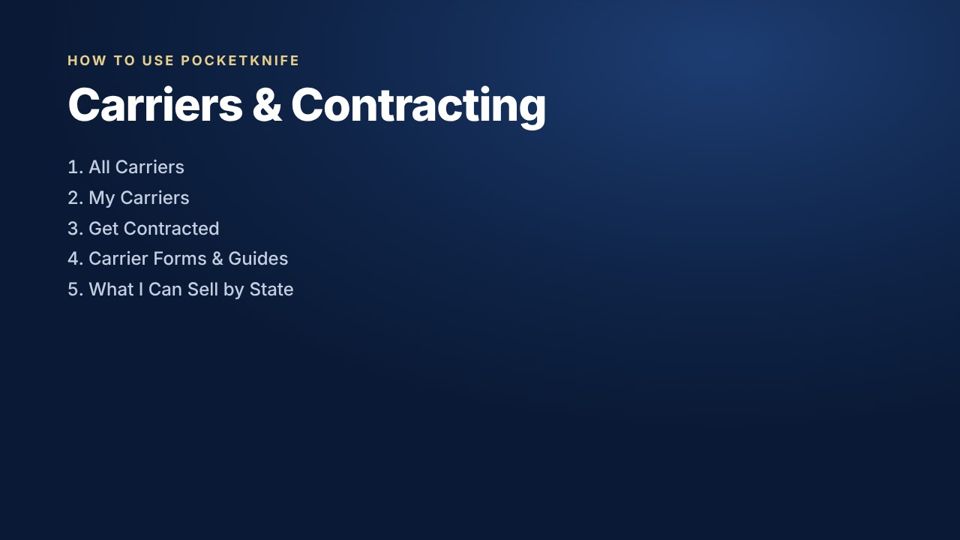 Training · How-toHow to use: Carriers & Contracting1:45How to use: Carriers & ContractingA short walkthrough of every page in Carriers & Contracting: All Carriers, My Carriers, Get Contracted, Carrier Forms & Guides, What I Can Sell by State.
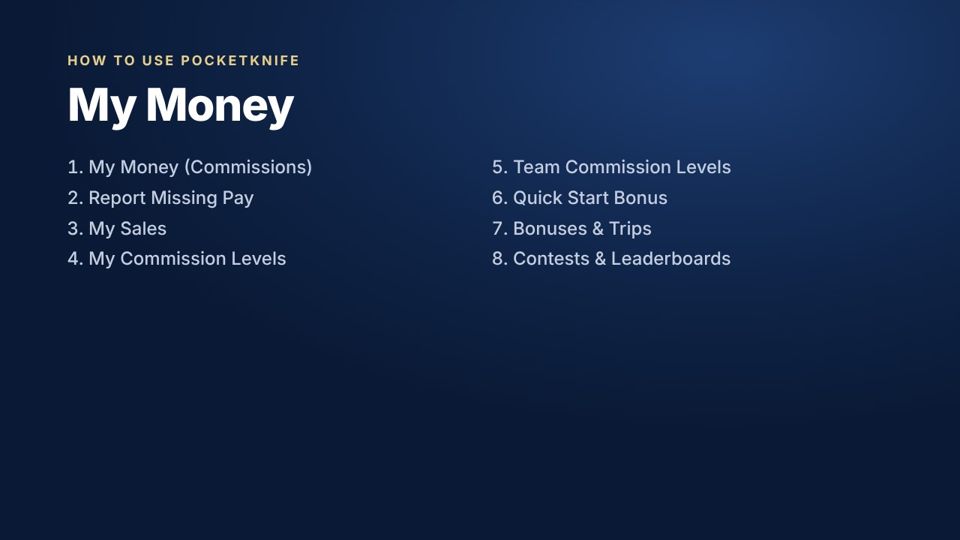 Training · How-toHow to use: My Money2:16How to use: My MoneyA short walkthrough of every page in My Money: My Money (Commissions), Report Missing Pay, My Sales, My Commission Levels, Team Commission Levels, Quick Start Bonus, Bonuses & Trips, Contests & Leaderboards.
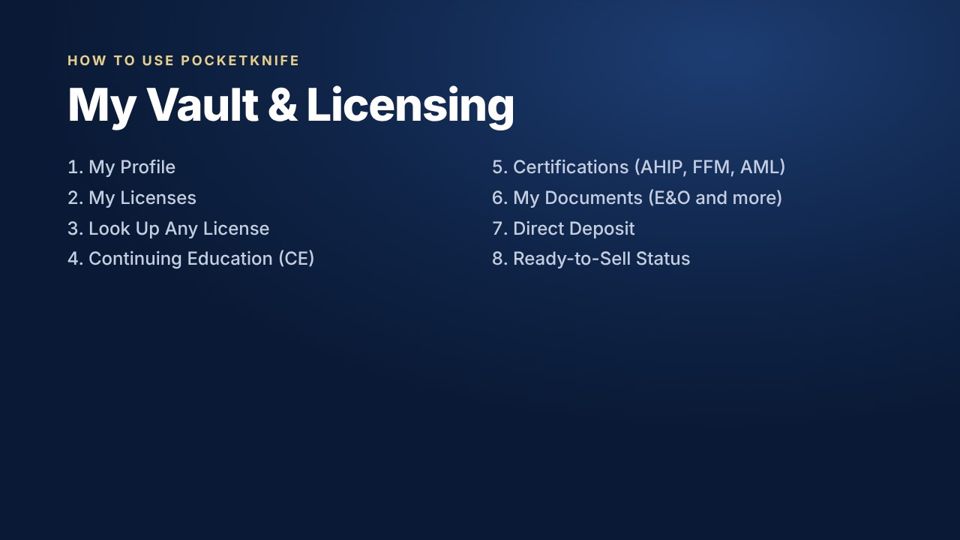 Training · How-toHow to use: My Vault & Licensing2:20How to use: My Vault & LicensingA short walkthrough of every page in My Vault & Licensing: My Profile, My Licenses, Look Up Any License, Continuing Education (CE), Certifications (AHIP, FFM, AML), My Documents (E&O and more), Direct Deposit, Ready-to-Sell Status.
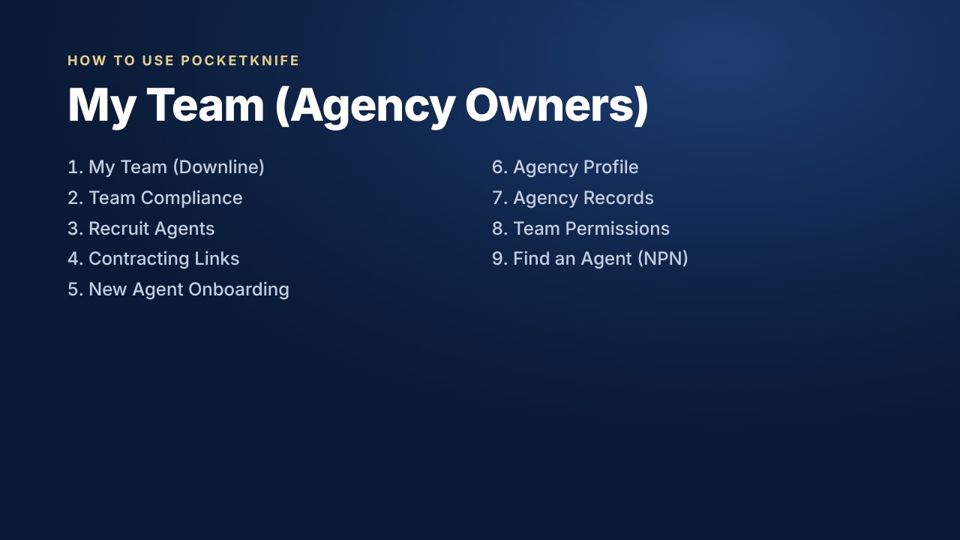 Training · How-toHow to use: My Team (Agency Owners)2:15How to use: My Team (Agency Owners)A short walkthrough of every page in My Team (Agency Owners): My Team (Downline), Team Compliance, Recruit Agents, Contracting Links, New Agent Onboarding, Agency Profile, Agency Records, Team Permissions, Find an Agent (NPN).
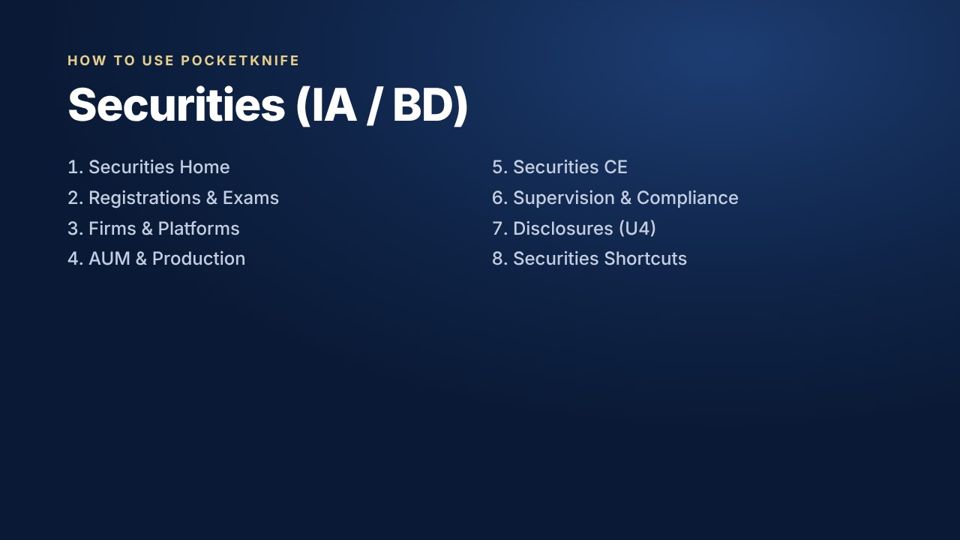 Training · How-toHow to use: Securities (IA / BD)2:12How to use: Securities (IA / BD)A short walkthrough of every page in Securities (IA / BD): Securities Home, Registrations & Exams, Firms & Platforms, AUM & Production, Securities CE, Supervision & Compliance, Disclosures (U4), Securities Shortcuts.
 Training · How-toHow to use: Learn & Grow1:08How to use: Learn & GrowA short walkthrough of every page in Learn & Grow: Training Videos & Courses, Ask AI (AI Helper), Messages & Announcements, Weekly Reports.
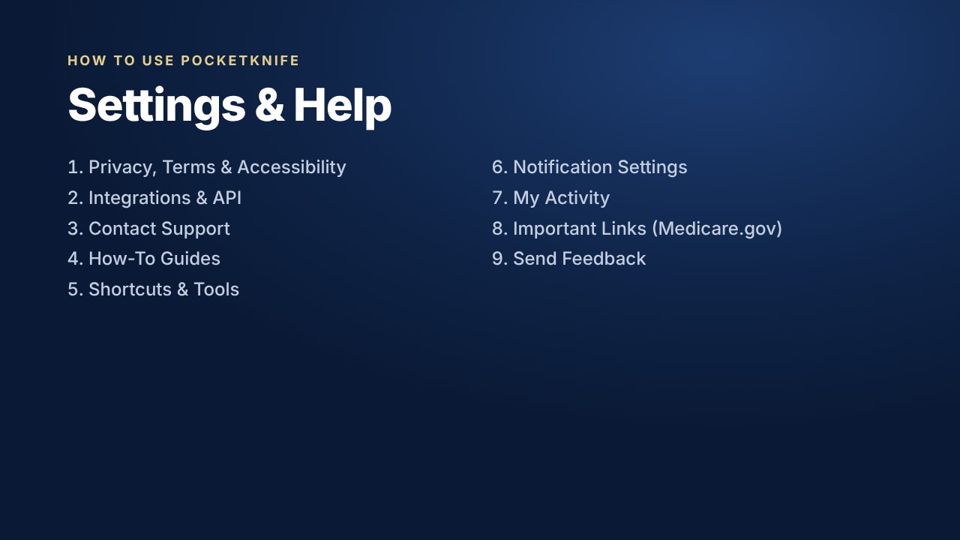 Training · How-toHow to use: Settings & Help2:24How to use: Settings & HelpA short walkthrough of every page in Settings & Help: Privacy, Terms & Accessibility, Integrations & API, Contact Support, How-To Guides, Shortcuts & Tools, Notification Settings, My Activity, Important Links (Medicare.gov), Send Feedback.
 Training · How-toHow to use: Staff: People1:34How to use: Staff: PeopleA short walkthrough of every page in Staff: People: Executive Admin, Users & Permissions, Login Levels & Access, Approval Center, Contracting Operations, Transfers & Offboarding.
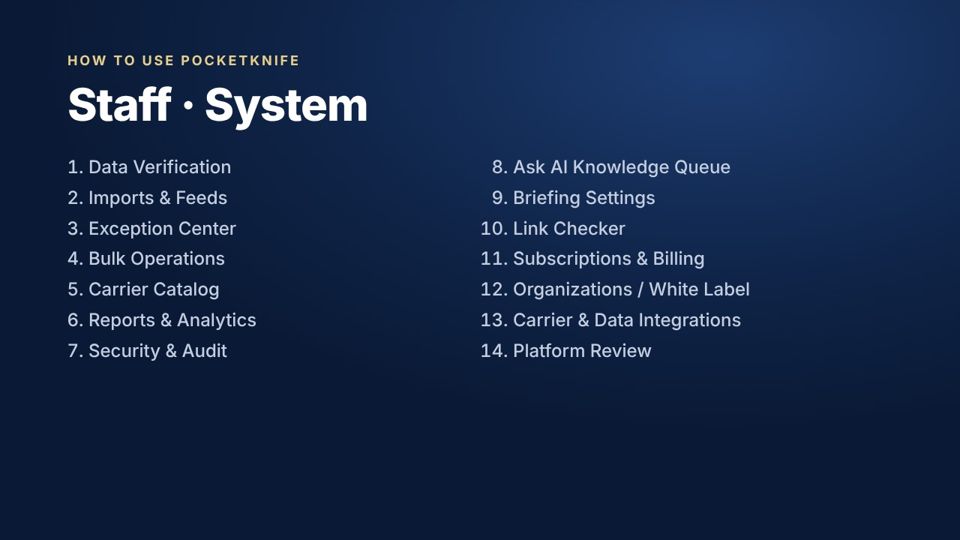 Training · How-toHow to use: Staff: System3:08How to use: Staff: SystemA short walkthrough of every page in Staff: System: Data Verification, Imports & Feeds, Exception Center, Bulk Operations, Carrier Catalog, Reports & Analytics, Security & Audit, Ask AI Knowledge Queue, Briefing Settings, Link Checker, Subscriptions & Billing, Organizations / White Label, Carrier & Data Integrations, Platform Review.
 Training · How-toHow to use: Carrier Partners1:34How to use: Carrier PartnersA short walkthrough of every page in Carrier Partners: Carrier Rep Login, Carrier Partner Portal, Carrier Content Management, Carrier Products & States, Carrier Commissions & Policies, Carrier Contracting Queue.
Run your whole business from one place.
We set up your carriers, licenses and website for you, and walk you through it.