The all-in-one back office for insurance agents
Every tool an agent needs. Right in your pocket.
CRM, quoting, carriers, contracting, licensing and commissions for Medicare, health, life, annuity, P&C and securities. One login on your desktop, tablet and phone.
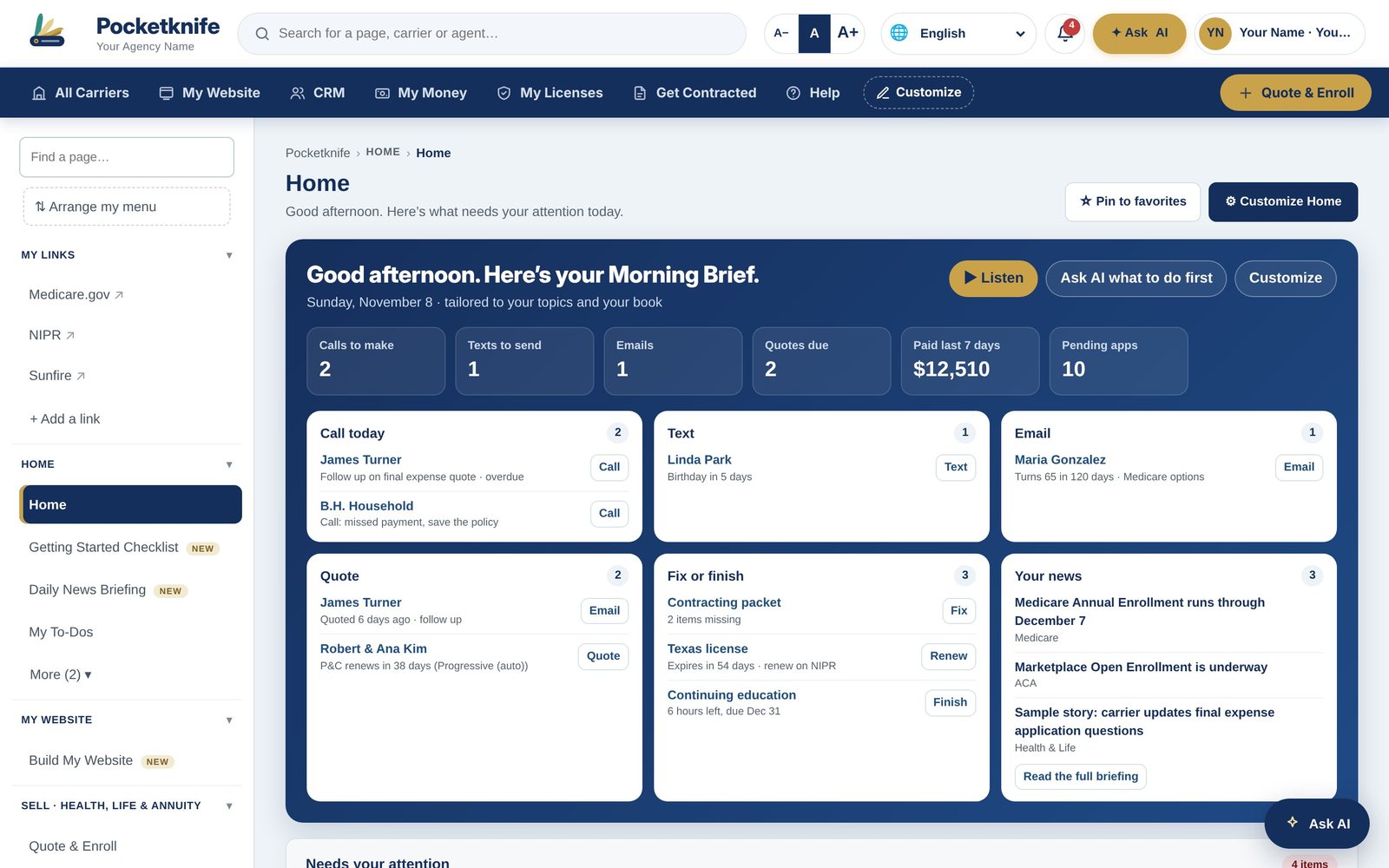
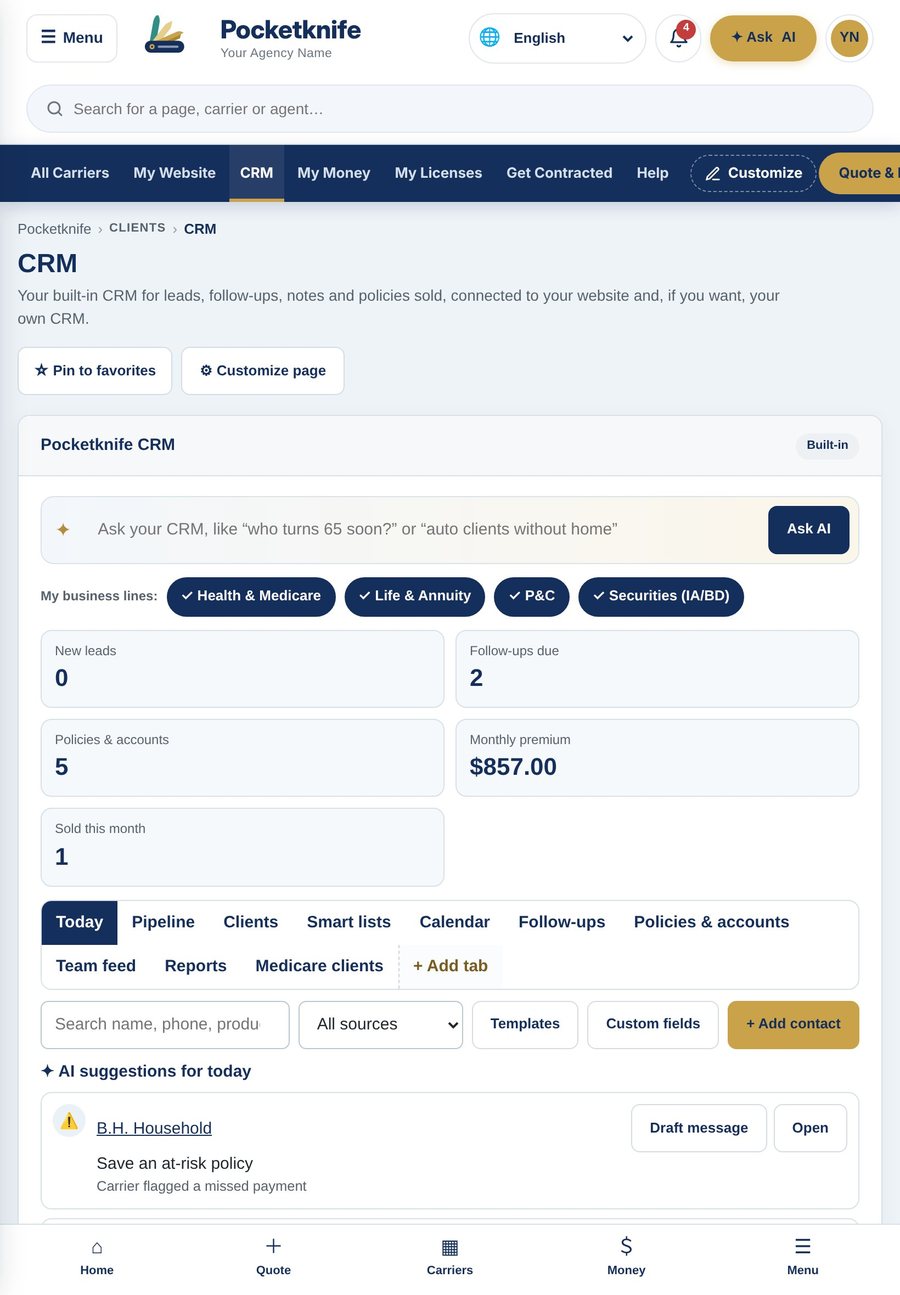
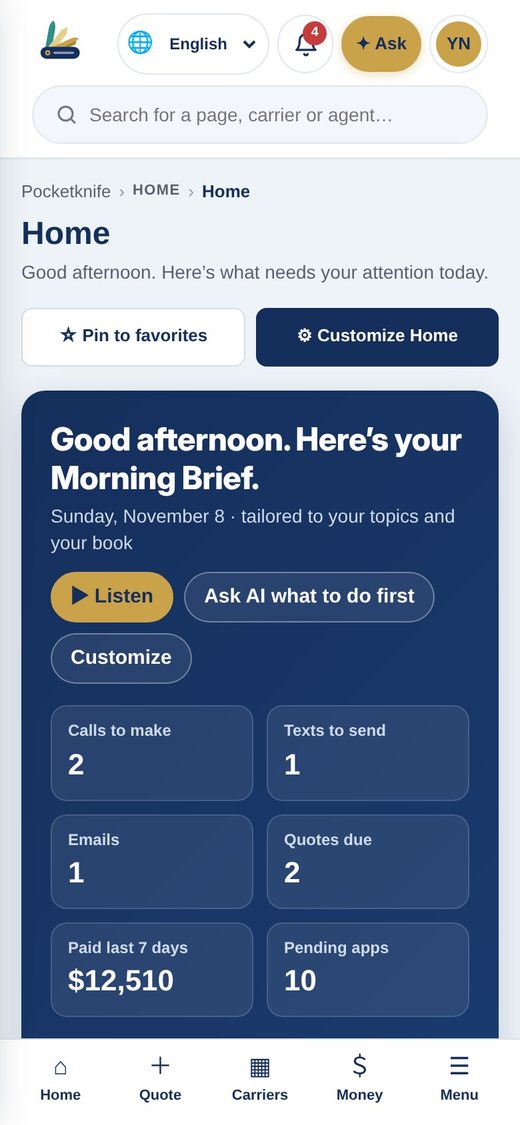
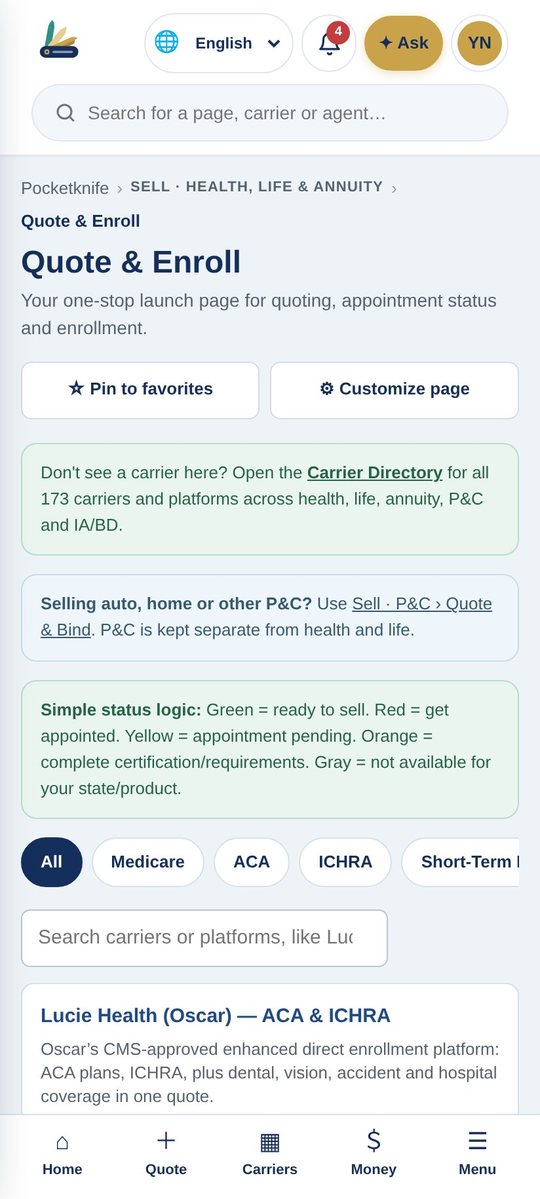
Works on Mac, Windows, iPad, iPhone and Android
The Pocketknife Overview
See the whole system in four short videos.
Watch an agent run a real day in Pocketknife, from the first lead to the weekly paycheck.
The big picture
Six systems most agents pay for separately, working together in one login. See your whole day on the Home screen and make every page your own.
- Agent, client and carrier logins
- Your day on one screen
- Customize any page, reset in one tap
Video 1 of 4The big picture1:26
Find and win clients
Our own CRM tells you who to call each morning. Every lead vendor feeds one pipeline, and your website on your own domain sends quote requests straight in.
- Drag-and-drop pipeline with AI
- Every lead vendor in one place
- Your website, your domain
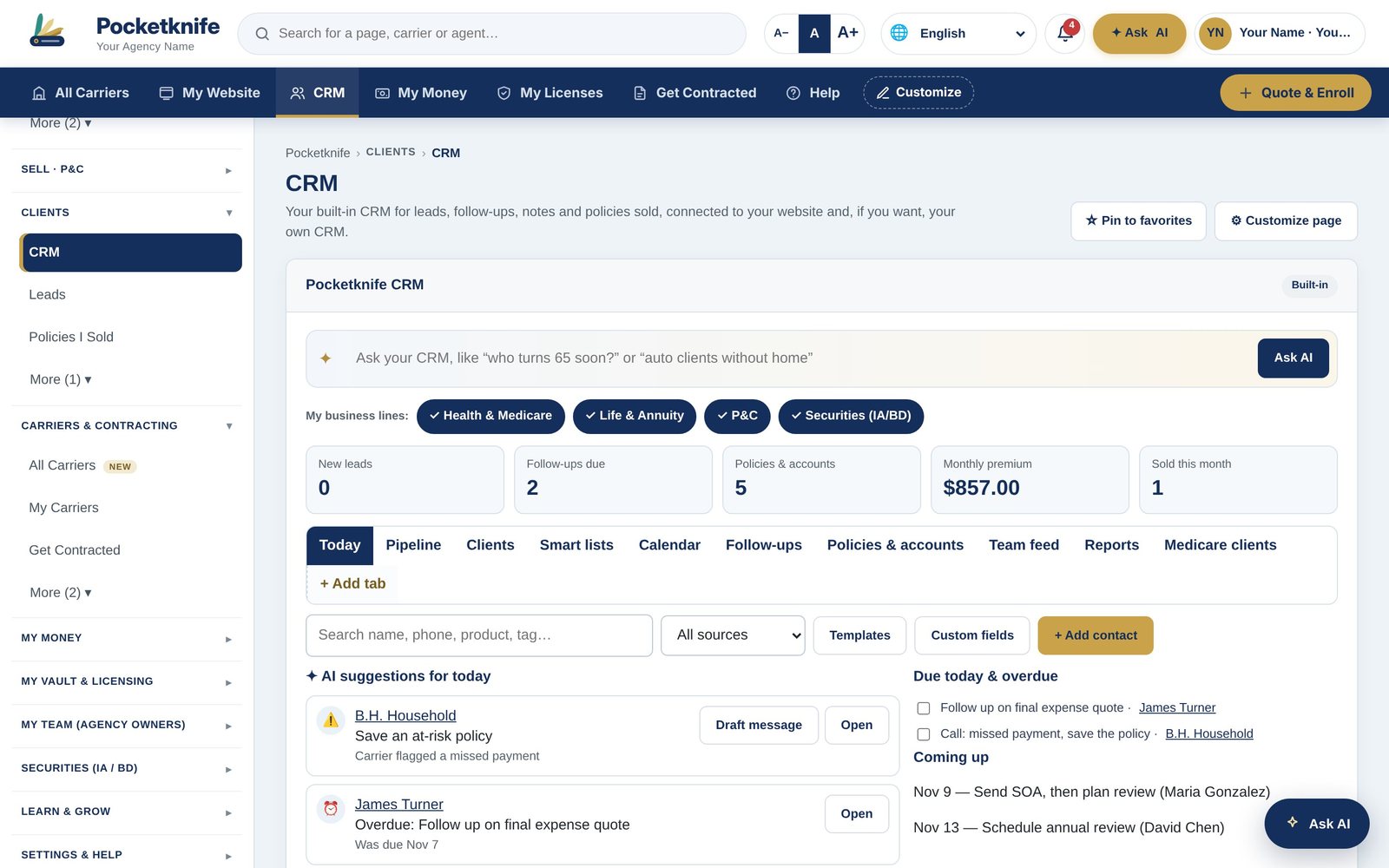 Video 2 of 4Find and win clients1:21
Sell every line
Know in one glance whether you can sell a product today. Medicare compliance is built in, and health, life, annuities, P&C and securities each have a full desk.
- Green means ready to sell
- Contract through any upline
- 211 carriers built in
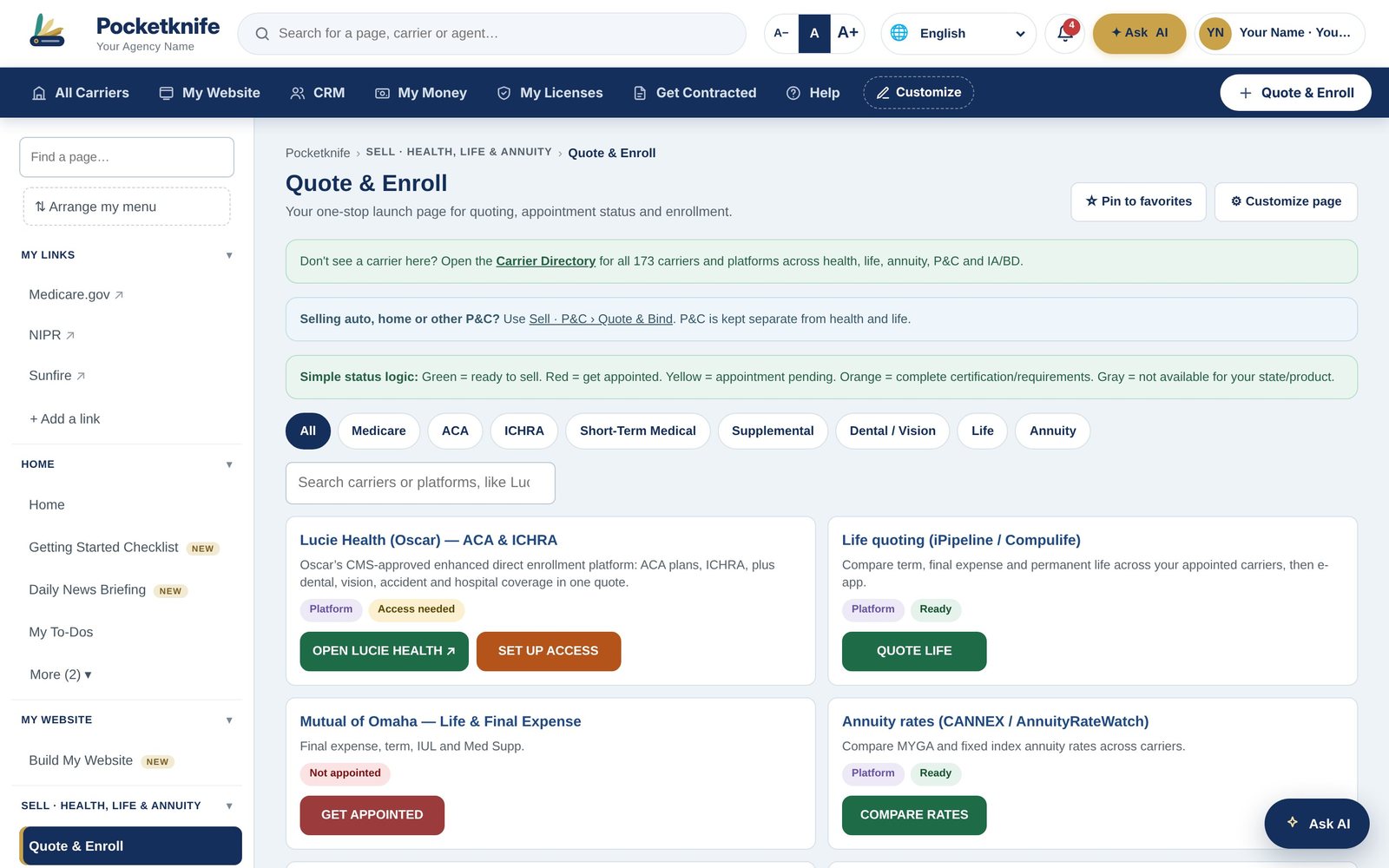 Video 3 of 4Sell every line1:20
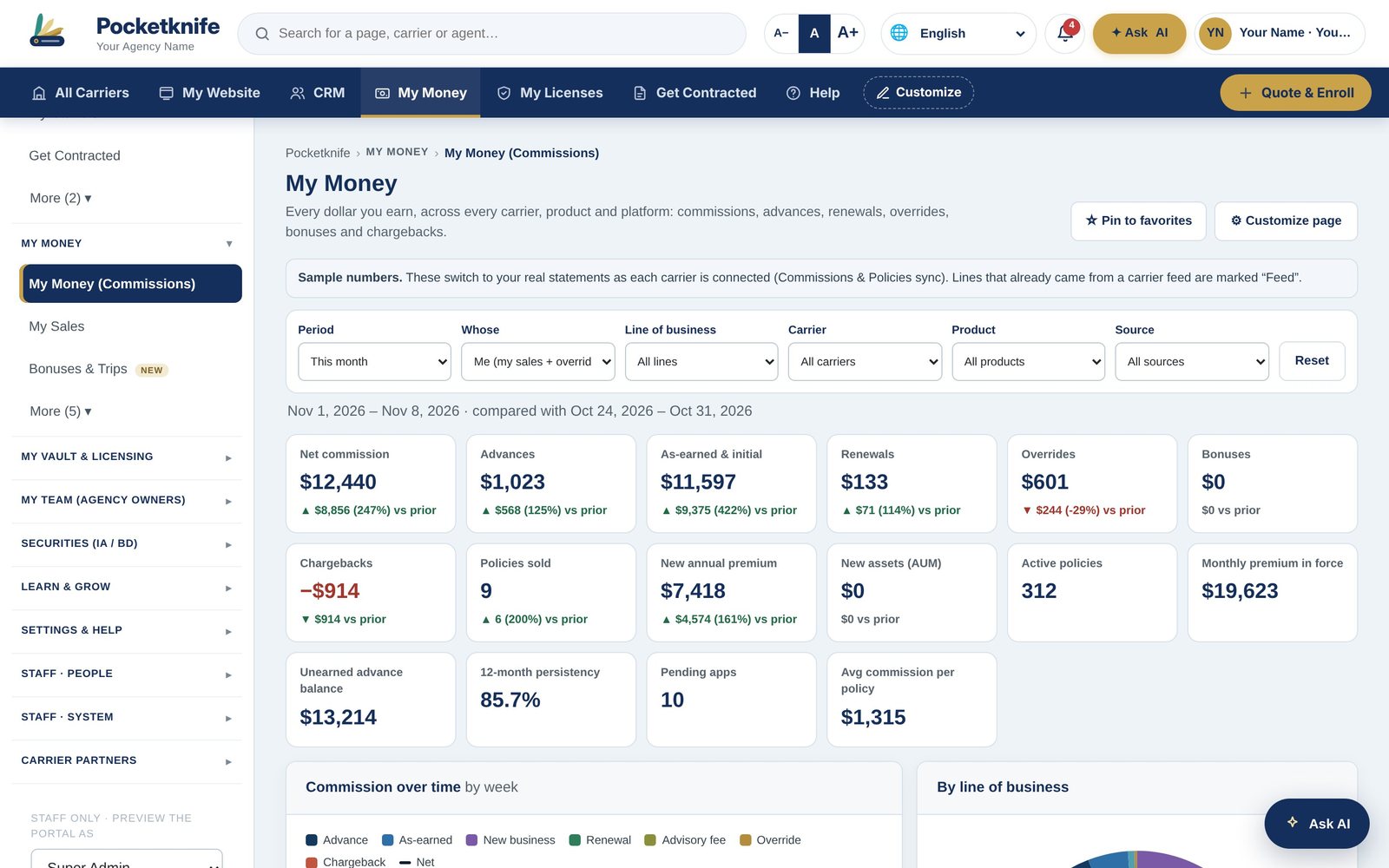 Video 4 of 4Get paid and grow1:13
Get paid and grow
See every commission from every carrier, every week, and catch missing pay before it slips away. Agency owners get compliance, recruiting and overrides in the same place.
- Weekly pay across every carrier
- Missing pay flagged for you
- Run your whole agency
Everything your business runs on, organized the way you work.
Browse the video libraryMedicare, ACA, life and annuities with compliance built in.
Explore → P&CQuote and bind, X-dates, renewals and service.
Explore → SecuritiesRegistrations, firms, AUM, CE and supervision.
Explore → CommissionsEvery carrier, every week, with missing pay caught.
Explore → Contracting211 carriers, any upline, ready-to-sell checks.
Explore → Built-in CRMAI picks who to call. Every lead in one pipeline.
Explore → Agent WebsitesYour own site on your own domain, built in minutes.
Explore → LibraryEvery video and training, organized by topic.
Explore →iPhone and Android
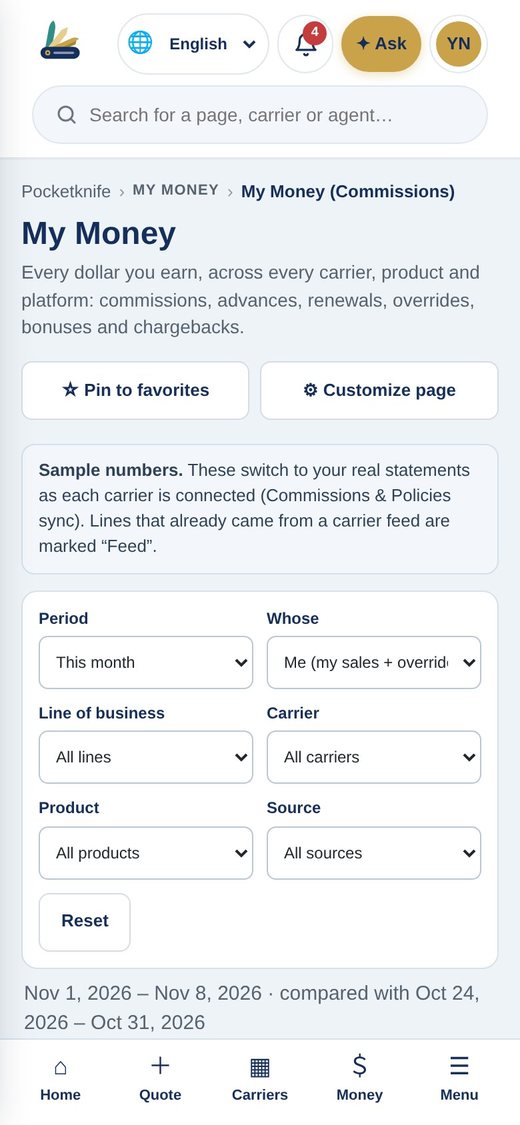
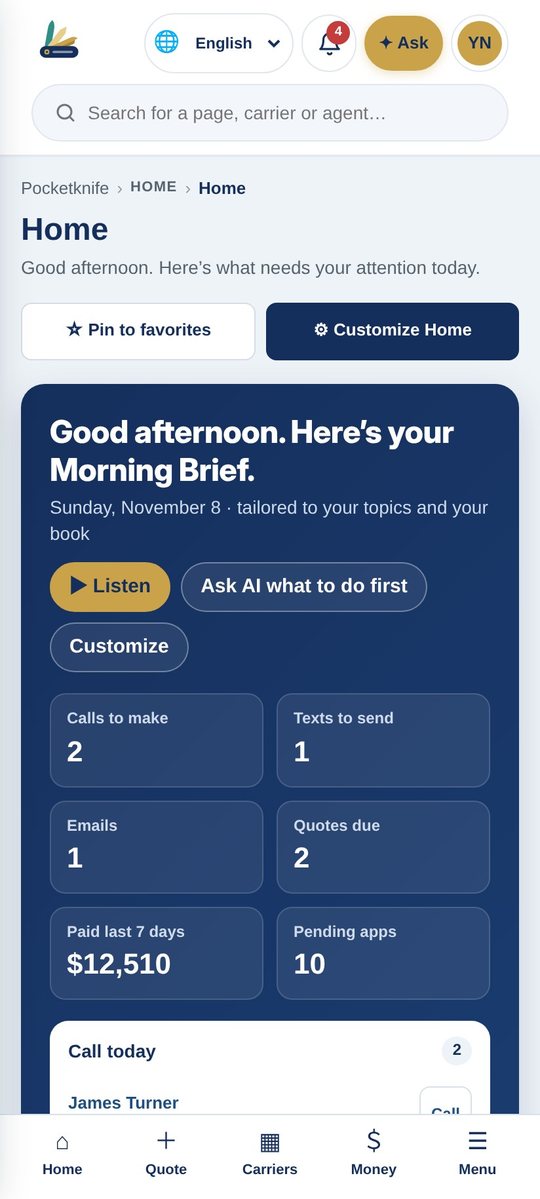
Your whole office, on the phone you already carry.
Quote at the kitchen table, check this week's pay between appointments and answer a client from the parking lot. Pocketknife runs the same on iPhone and Android, with everything you see on your desktop.
- Home, Quote, Carriers and Money one tap away
- Alerts that never show client health details
- Everything syncs with your desktop and tablet
Run your whole business from one place.
We set up your carriers, licenses and website for you, and walk you through it.
Home › FAQ
FAQ
Questions agents ask
Getting started
Who can use Pocketknife?
Insurance agents and agencies in every line: Medicare, health, life, annuities, P&C and securities. Agency owners and FMOs can run their whole downline on it.
How do I sign up?
Click Sign up, enter your name, email and mobile phone, and choose who you are. We email you a 6-digit code to verify it is you, and you are in.
Do I have to give up my current CRM?
No. Use our built-in CRM, keep yours, or use both with sync turned on.
Platform
Does it work on my phone?
Yes. Pocketknife runs on iPhone, Android, iPad, Android tablets, Mac and Windows, and everything stays in sync.
Can I use my own domain for my website?
Yes. Connect a domain you already own or start on a free address and switch later.
Can I move things around?
Every page has a Customize button to move or hide sections, with a reset back to the original.
Invites & privacy
How do I invite agents to my team?
Open Invite & QR Code in the menu. Share your Join my team link by text, email or social media, or print your QR code. New agents also type your code when they sign up, so they land on your team.
Can I connect with people who are not on my team?
Yes. Anyone, including CPAs, estate attorneys, clients, agencies and other agents, can connect with you using your Connect with me link or code, at sign-up or any time after.
What can my upline see?
By default, your upline and override levels can see and update your licensing, contracting and production. Your clients stay private unless you turn them on or share one with the client's permission. You can change this any time under Sharing & Privacy.
Can I share something without joining a team?
Yes. Share a single document with anyone on Pocketknife by email or code, set an end date if you want, and stop sharing at any time.
Carriers & contracting
How many carriers are built in?
211 carriers across health, life, annuity, P&C and securities, each with sign-in links, forms and contacts.
Can I contract through my upline?
Yes. Send your packet through your upline, an FMO, another agency or straight to the carrier, and track it to ready to sell.
Commissions
Where does my commission data come from?
Carrier API, file feeds, statement uploads or portal sync, matched to you by NPN or writing number.
What happens if a commission is missing?
Pocketknife flags sold-but-unpaid policies and short payments, and you can report them to support in one tap.
Security
Who can see my clients?
Only you and the people your role allows. Agents never see other agents' rates, and carriers only see their own business.
Are health details protected?
Phone alerts stay generic, so client health details never appear on a lock screen. Every sign-in, change and export is logged.
Run your whole business from one place.
We set up your carriers, licenses and website for you, and walk you through it.